Sovol SV08 Remote Access and AI With Obico

Introduction
The Sovol SV08 is a standout 3D printer in the current market, offering a mix of advanced features, precision, and versatility that caters to both beginners and experienced makers. By integrating it with the Obico platform, an AI-powered, open-source system, users can significantly enhance their 3D printing experience through remote monitoring, control, and AI failure detection.
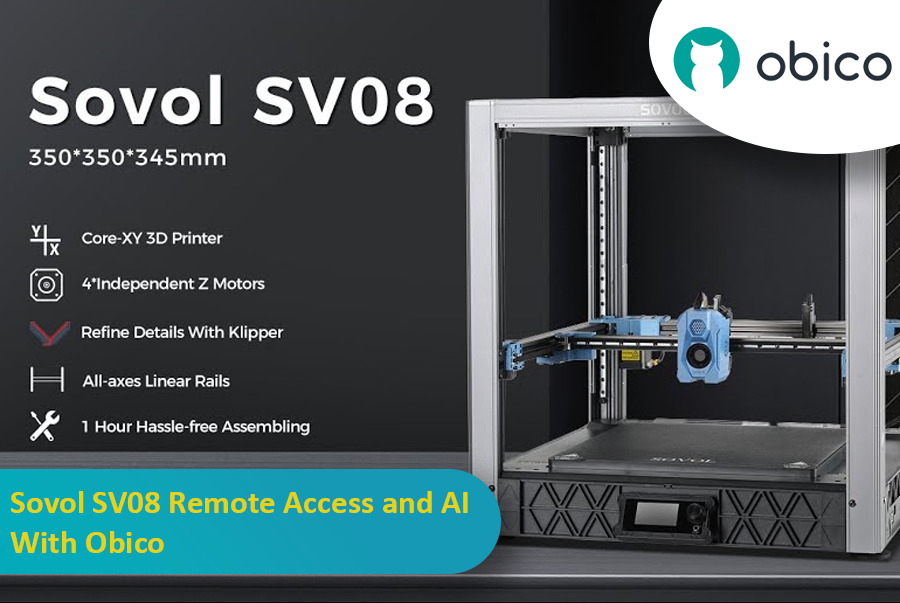
This guide will take you through setting up your Sovol SV08 with Obico, including firmware updates, WiFi connections, and integrating the Obico system. We will also look at some advanced features provided by Obico, like Nozzle Ninja AI, which takes first-layer monitoring to another level, as well as the new built-in online slicer.
Getting to Know the Sovol SV08
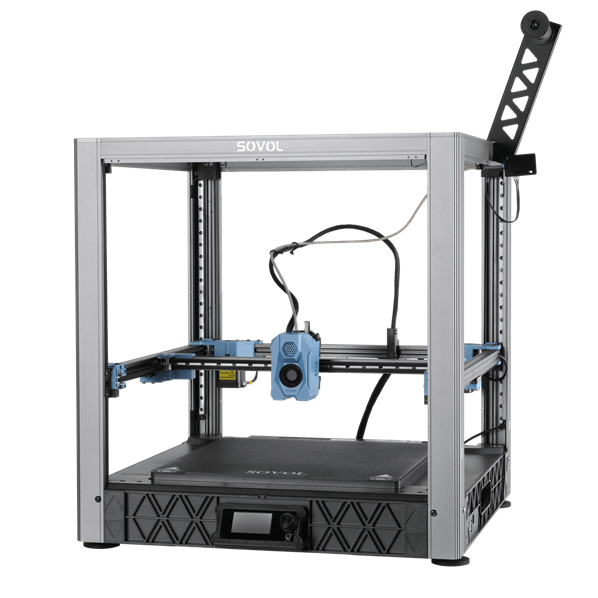
Before we get into the setup process, it’s important to know what makes this machine powerful in the world of 3D printing.
source: sovol3d.com
Key Features of the Sovol SV08
Build Volume:
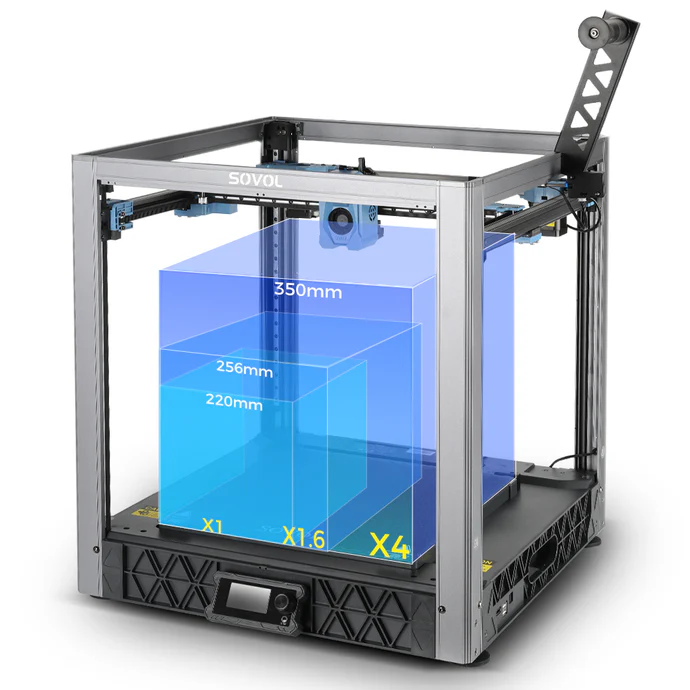
The Sovol SV08 offers a voluminous build space measuring 350 x 350 x 345 mm (13.77 x 13.77 x 13.58 inches). This large print area allows you to make bigger models in one go, reducing the multiple parts printing and assembly required.
source: sovol3d.com
CoreXY Motion System:
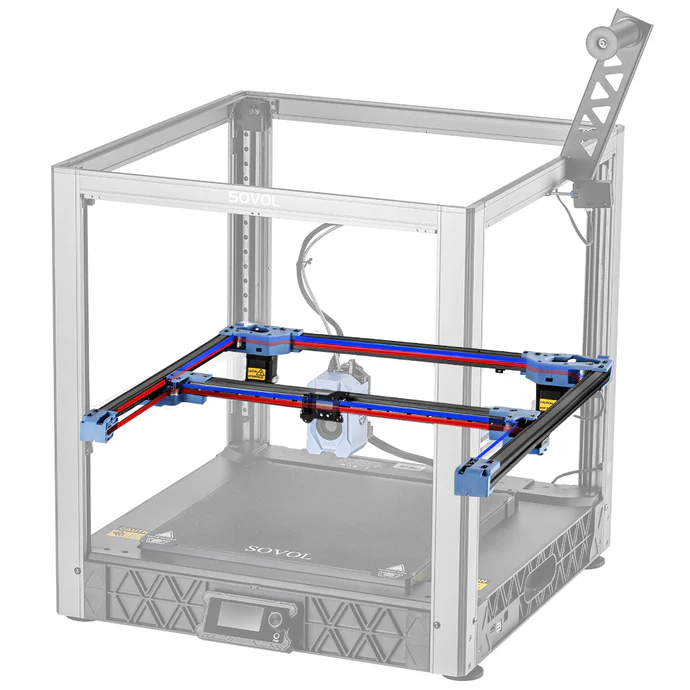
The CoreXY design is known for its efficiency and accuracy. By utilizing two motors working together, the system reduces the moving mass on the Y-axis, allowing for faster and more precise prints.
source: sovol3d.com
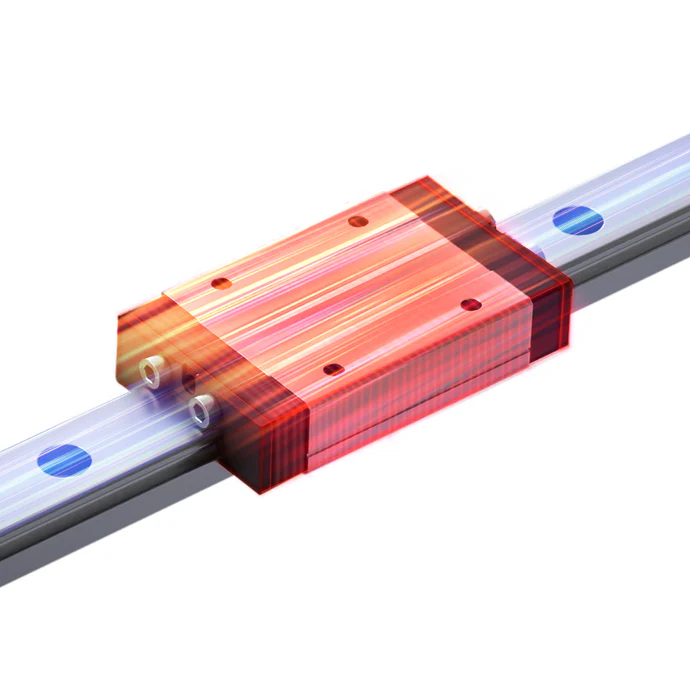
Linear Rails on All Axes:
Unlike most 3D printers that use rods and bearings, which are common in the industry, the SV08 employs linear rails for all axes. This ensures smooth movement as well as accurate positioning because there is no mechanical play caused by loose fitting parts; hence, the machine has a longer life span due to reduced wear and tear.
source: sovol3d.com
Quad Z Stepper Motors:
The SV08 is equipped with four independent Z-axis stepper motors, which enable a process known as Quad-Gantry-Leveling (QGL). This advanced configuration allows the entire gantry system to be smoothly leveled, ensuring perfect alignment and stability of the build plate. QGL not only enhances printer accuracy, reducing the likelihood of print failures, but also has the capability to detect and compensate for wear or damage over time, contributing to consistently high-quality prints.
High-Speed Printing:
With the ability to print at speeds up to 700mm/s and an acceleration of 40,000 mm/s², the SV08 is one of the fastest printers available. Despite the high speeds, the machine maintains accuracy and detail, making it suitable for both rapid prototyping and detailed models.
Klipper Firmware:
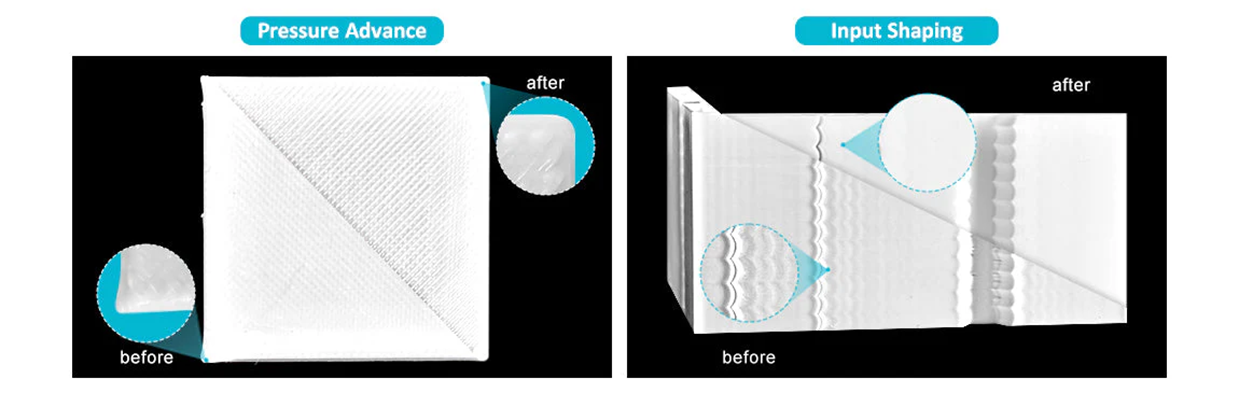
The Sovol SV08 utilizes Klipper firmware to elevate printing speed and accuracy. Klipper enhances processing speed, reduces vibrations with "Input Shaping", ensures precise prints with "Pressure Advance", and stabilizes temperatures with "PID Tuning". These features contribute to flawless prints and a smoother printing experience. It also provides remote control capabilities through a user-friendly interface like Fluidd and Mainsail.
source: sovol3d.com
Ceramic Heating Block (AC-Powered Heated Bed):
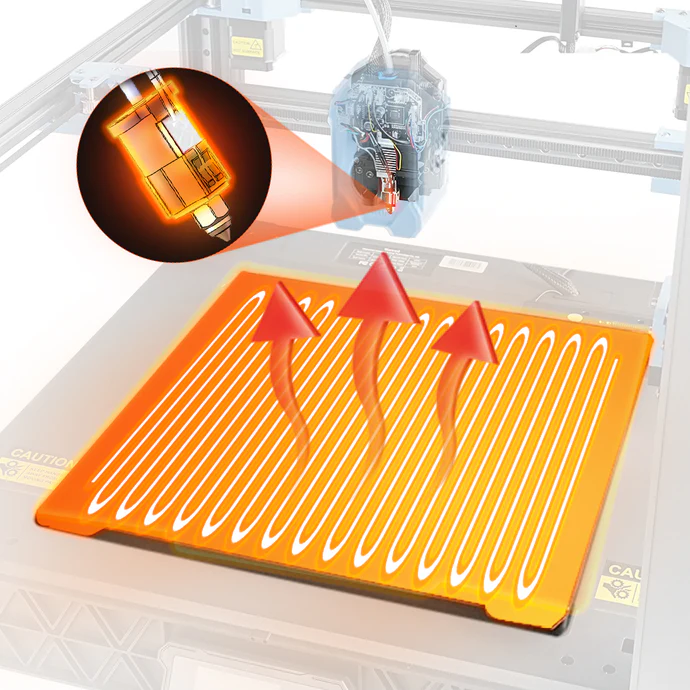
The SV08 features a ceramic heating block and an AC-powered heated bed, which heats up rapidly, reaching 220°C in just 40 seconds. This efficient setup reduces heating time by 70%, making it ideal for quick preheating and printing with materials like ABS and PETG.
source: sovol3d.com
Advanced Cooling System:
Proper cooling is essential for high-quality prints, especially when printing supports or at high speeds. The SV08’s enhanced cooling system ensures that the filament cools quickly, reducing stringing, improving layer adhesion, and ensuring that supports are strong and easy to remove.
Remote Control Capabilities:
Designed with connectivity in mind, the SV08 can easily be integrated with remote control apps like Obico and it comes with pre-installed mainsail interface for Klipper. This allows for real-time monitoring and management of print jobs remotely.

source: sovol3d.com
Camera Module:
The included camera module provides live monitoring of your prints, as well as the ability to create time-lapse videos. This is not only useful for troubleshooting but also for sharing your printing process with the community. It also can be used when you connect your printer to Obico for AI failure detection, identifying common issues like spaghetti.
UI Control and Display:
The SV08 comes with a 3-inch display and a control knob, with an option to upgrade to a 5-inch touchscreen for a more intuitive user experience.
Filament Compatibility:
The SV08 is versatile in the materials it can handle, including PLA, PETG, TPU, PETG-CF, and ABS (with an enclosure). This range allows you to tackle a wide variety of projects, from simple prototypes to complex, functional parts.
Unboxing and Assembly
The Sovol SV08 comes well-packaged, with each part clearly labeled and organized. Assembly takes approximately one hour, which is slightly longer than simpler 3D printers due to its CoreXY design. However, the instructions are straightforward, and with careful attention, the process is manageable even for those new to 3D printing.
The assembly begins with the installation of the Z uprights, followed by the top rail and gantry. The process of connecting all the wires, which are also labeled, requires some patience, especially in ensuring that no cables are pinched or misaligned.
Once assembled, the machine has a solid, professional feel, reflecting its design and engineering quality. The CoreXY motion system is immediately noticeable in its smooth operation, and the use of linear rails adds to the precision and stability of the printer.
Bed Leveling
After assembly, the first crucial step is leveling the print bed. The Sovol SV08 features an automated bed leveling system that greatly simplifies this process:
- Calibrate Z Offset: Begin by navigating to the leveling section on the screen and selecting ‘Calibrate Z Offset.’ The printer will automatically heat the bed to 65°C, calibrate the Z offset, then home the X, Y, and Z axes.
- Quad Gantry Leveling: Following the Z offset calibration, the SV08 performs a Quad Gantry Leveling procedure. This ensures that the AB axis is perfectly levelled (not tilted), critical for ensuring even first layers.
- Bed Mesh Leveling: The final step is the Bed Mesh process, where the printer creates a mesh map of the bed’s surface. This map helps compensate for any minor inconsistencies in the bed’s surface, ensuring a consistent print height across the entire build area.
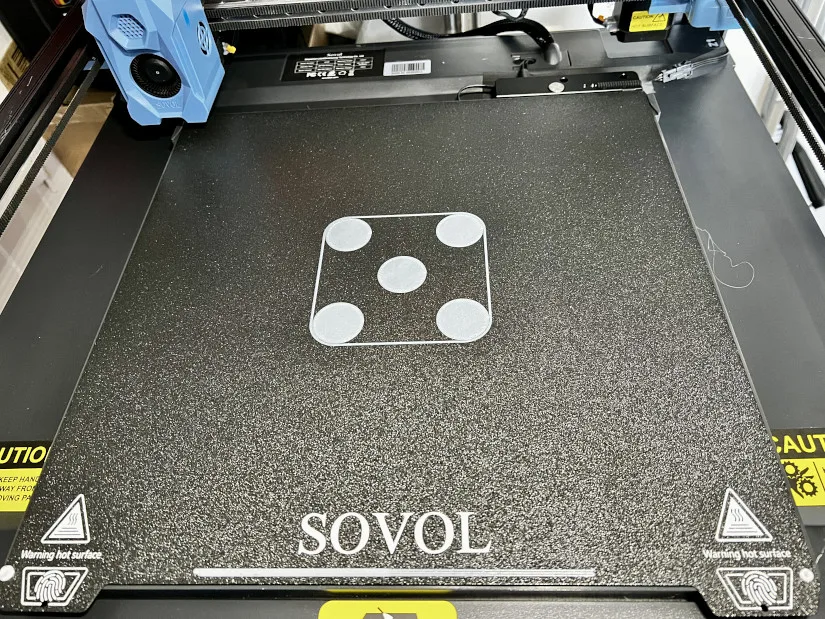
Once the leveling process is complete, it’s advisable to run a bed leveling test print, such as the popular “five circles” test. This test will help you fine-tune the bed leveling, ensuring that the first layer adheres well and is evenly deposited.
source: 3dwithus.com
For more detailed information about this printer or if you want to make a purchase, you can follow visit the printer’s official website.
Slicer Software: Orca Slicer
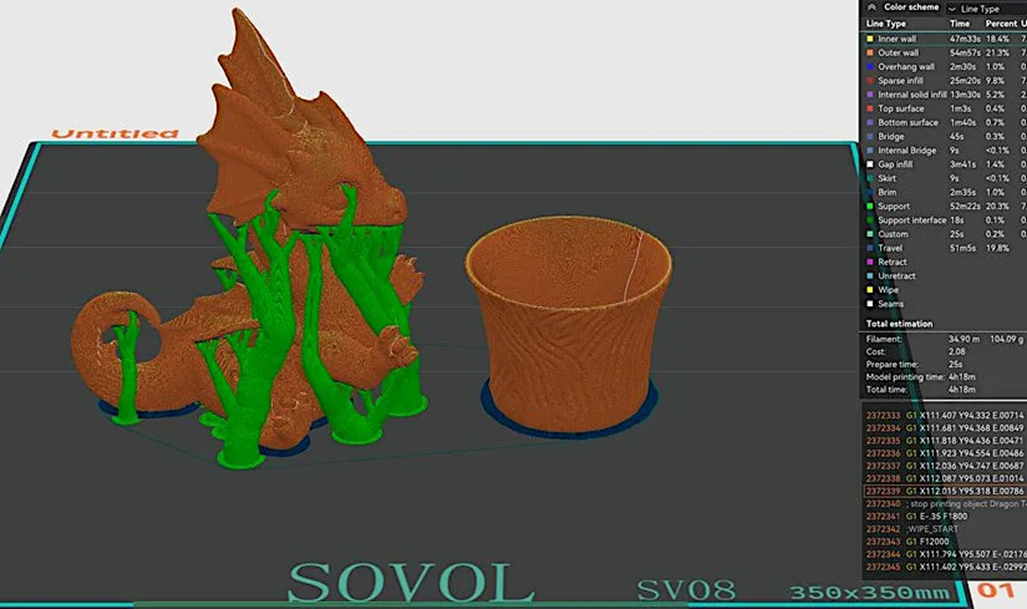
The Sovol SV08 includes the Orca Slicer on its USB stick, a versatile and user-friendly slicing software. Orca Slicer has gained popularity for its intuitive interface and powerful features, making it an excellent choice for both beginners and experienced users.
source: 3dwithus.com
One of the standout features of Orca Slicer is its ability to generate organic tree supports automatically. These supports are particularly useful for complex models, as they provide adequate support without consuming excessive material or leaving difficult-to-remove structures.
Orca Slicer also includes auto-calibration features, simplifying the process of ensuring your printer is perfectly tuned for optimal results. Additionally, the Device Tab feature allows you to remotely control your printer from the same interface, providing seamless integration with your workflow. For more details on these features, you can refer to OrcaSlicer Device Tap and OrcaSlicer Calibration Features.
Setting up the SV08 profile in Orca Slicer is straightforward. The printer profiles are pre-loaded, so you can start slicing and printing almost immediately. The software also supports a wide range of materials and print settings, allowing you to fine-tune your prints for optimal quality and performance.
If you are new to the software, Getting started with OrcaSlicer offers a great starting point to familiarize yourself with its capabilities. This guide also includes links to related articles, allowing you to dive deeper into specific topics and fully explore what OrcaSlicer has to offer.
Introduction to Obico and Its Features
Obico is a revolutionary platform in the 3D printing world, offering a suite of tools designed to enhance your 3D printing experience. Formerly known as The Spaghetti Detective, Obico has evolved into a comprehensive solution for remote monitoring, AI-powered failure detection, and real-time control of your 3D printer.
Core Features of Obico
- AI-Based Failure Detection:
Obico’s AI system is among the most reliable in the industry, capable of detecting a wide range of print failures. The AI monitors your print in real time, analyzing images captured by your printer’s camera to identify potential issues. When a problem is detected, Obico can send you an alert or pause the print to prevent wasted time and material.
- Remote Monitoring and Control:
One of Obico’s most powerful features is its ability to monitor and control your 3D printer remotely. Whether you’re at home, at work, or on the go, you can access your printer’s status, start or stop a print, and even view a live feed of the print process from your smartphone, tablet, or computer.
- Compatibility with Klipper and OctoPrint:
Obico integrates seamlessly with popular 3D printing firmware and software like Klipper and OctoPrint, allowing you to access their features directly through it. When used with Klipper, Obico supports the Mainsail and Fluidd interfaces, giving you full control over your printer’s settings and configuration.
- Alerts and Notifications:
Obico provides customizable alerts and notifications, which can be sent via email, SMS, Discord, Pushbullet, Pushover, Slack, and Telegram. These alerts keep you informed of your print’s progress, whether it’s starting, finishing, or encountering an issue. You can set up notifications to suit your preferences, ensuring you’re always in the loop.
- Cloud and Local Server Options:
Obico offers flexibility in how you choose to run it. The cloud option provides easy access from anywhere with an internet connection, while the local server option gives you more control, customization options, and privacy. This flexibility makes Obico suitable for a wide range of users, from hobbyists to professional makers.
- Wide Printer and Board Support:
Obico supports a broad range of 3D printers, including those with pre-installed Klipper firmware. It’s also compatible with open-source printers like the Voron printers, as well as printers with Makerbase boards. If your printer isn’t listed, but it has a compatible board, you can follow the general setup guide provided by Obico.
What Obico Adds to Sovol SV08
Integrating Obico with your Sovol SV08 unlocks a new level of convenience and reliability:
- Enhanced Print Monitoring:
Obico’s AI-based detection system helps catch print failures early, saving you time and filament. The system is particularly useful for long prints or when you need to leave your printer unattended.
- Remote Access:
With Obico, you can monitor and control your SV08 from anywhere in the world (not only when you are connected to the same local network), ensuring your prints progress smoothly even when you’re not physically present.
- Detailed Analytics:
Obico provides in-depth analysis of your print jobs, including print duration, filament usage, and success rates. This data helps you optimize your printer’s performance and troubleshoot issues more effectively.
- Peace of Mind:
The combination of real-time monitoring, AI-based detection, and customizable alerts means you can manage your prints with confidence, knowing that Obico has your back.
Advanced Features: Introducing Nozzle Ninja
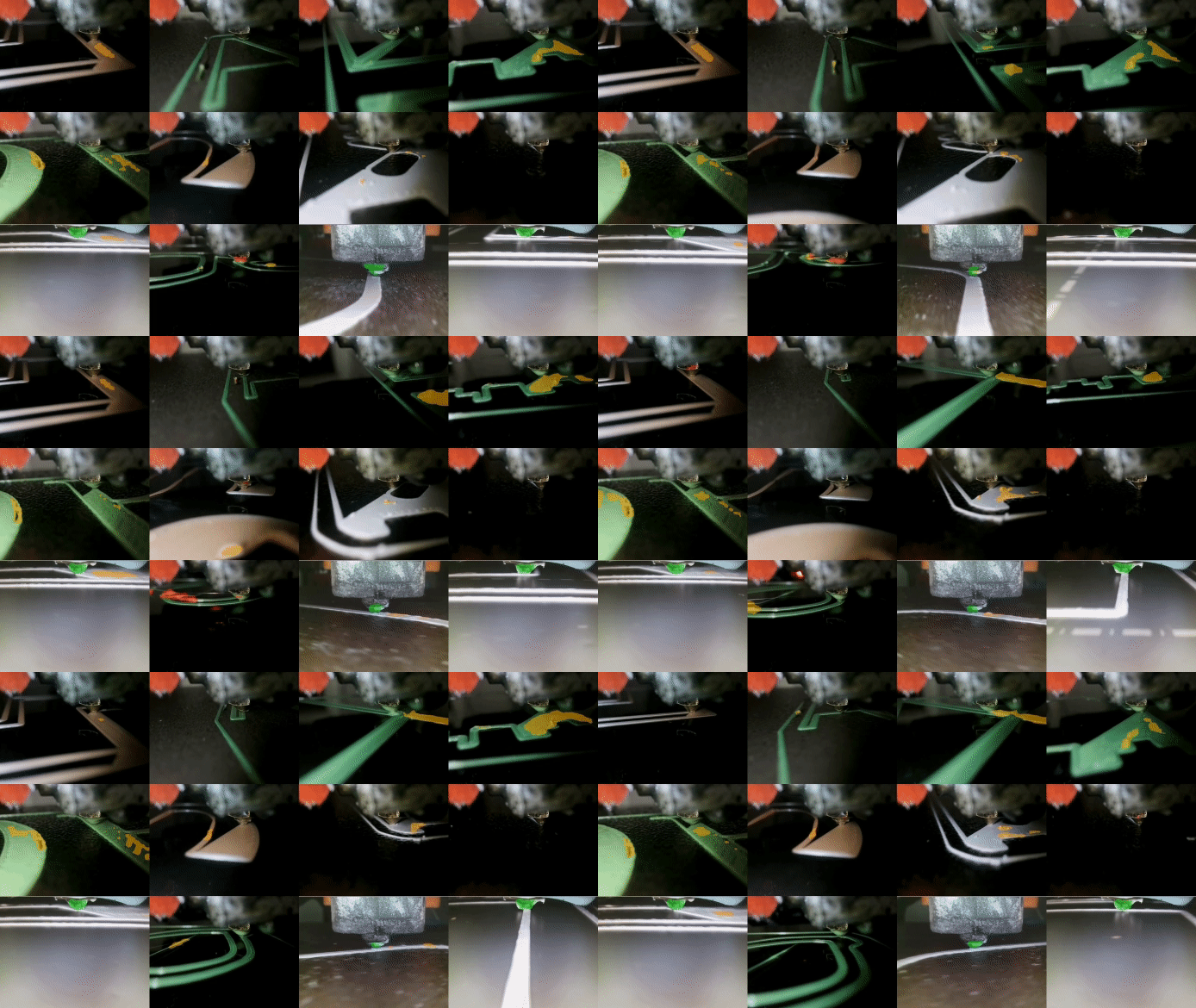
One of Obico’s latest and most exciting features is the Nozzle Ninja First layer AI. This advanced AI-powered tool is designed to address one of the most critical aspects of 3D printing: the first layer.
The Importance of the First Layer
The first layer of a 3D print is like the foundation of a building—if it’s not perfect, the entire structure is at risk. Issues with the first layer, such as poor bed adhesion, uneven extrusion, or warping, can lead to print failures, wasted material, and frustration. Recognizing the importance of this crucial step, Obico developed Nozzle Ninja, an AI system specifically focused on monitoring and optimizing the first layer of your print.
How Nozzle Ninja Works
Nozzle Ninja operates differently from traditional webcam-based AI systems that monitor the entire print. Instead, it uses a dedicated nozzle camera, mounted close to the print nozzle, to provide a detailed, real-time view of the first layer as it’s being laid down. This close-up perspective allows the AI to detect issues that would be difficult to see with a regular webcam.
- Setup:
Setting up Nozzle Ninja involves installing a compatible nozzle camera, such as the Mintion Nozzle Camera or the 3DO Nozzle Camera. Once installed, the camera provides a close-up view of the first layer, which is analyzed in real-time by Obico’s AI.
- Monitoring:
As the first layer is printed, Nozzle Ninja monitors for common issues like under-extrusion, over-extrusion, bed adhesion problems, warping, bubbling, and nozzle blobbing. The system can detect these issues almost immediately, allowing for rapid intervention to correct the problem.
- AI Analysis:
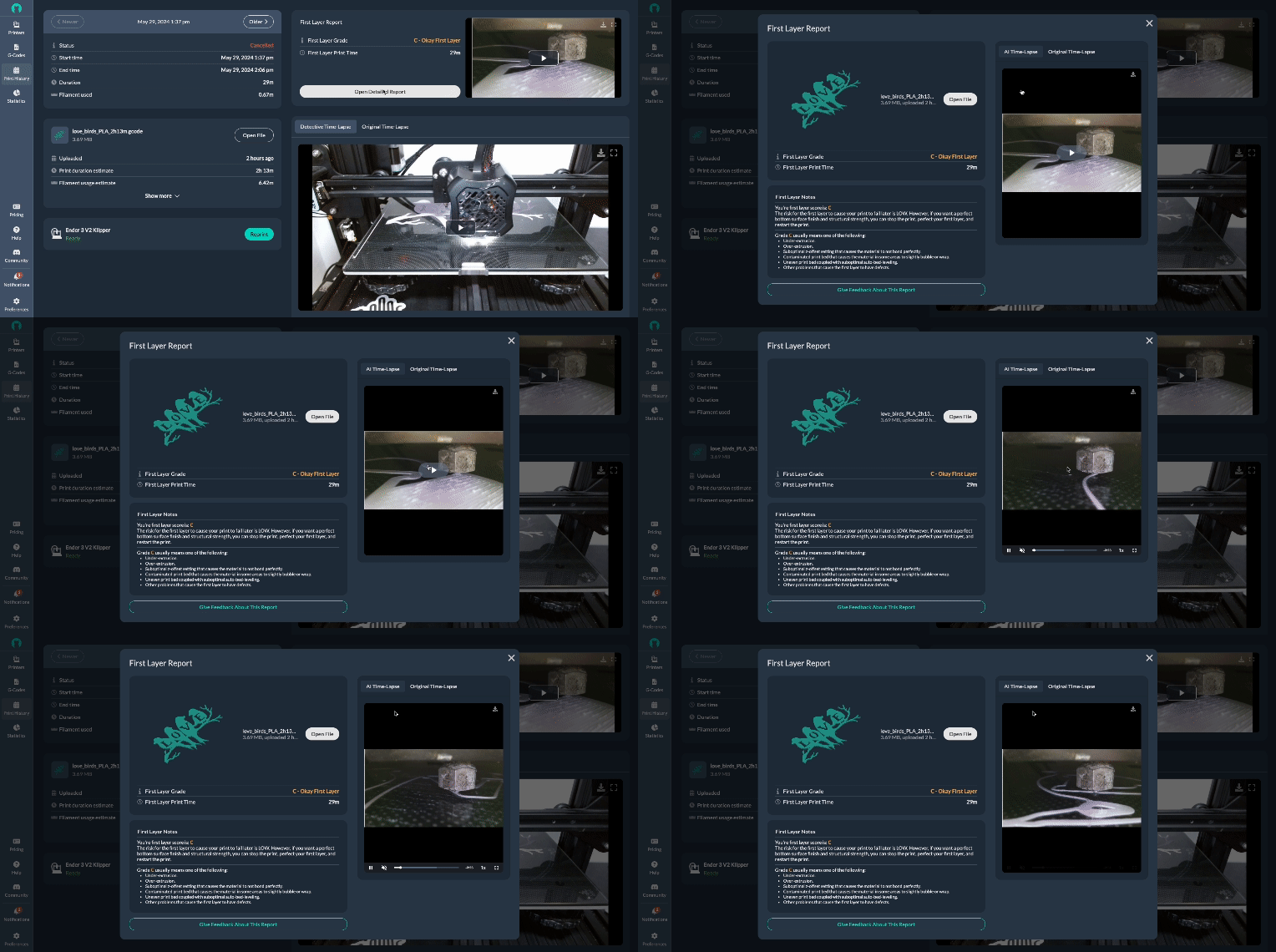
After the first layer is complete, Nozzle Ninja analyzes the data and generates a detailed report. This report can be viewed in several ways, including within the Obico web or mobile app, where users can see a timelapse of the first layer with AI-generated annotations highlighting any detected issues.
- Real-Time Feedback:
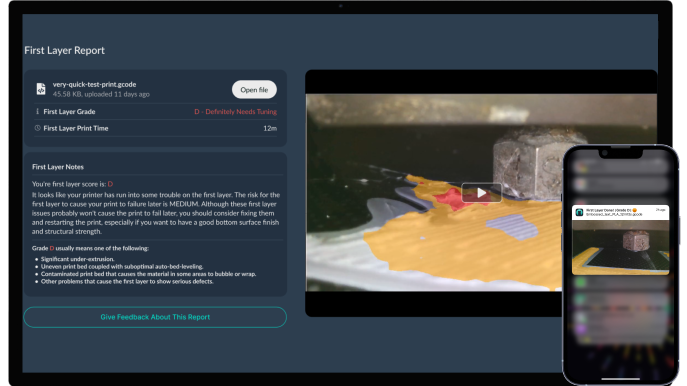
Nozzle Ninja provides real-time feedback through push notifications, which include a snapshot and grade of the first layer. This instant alert allows you to intervene quickly if there’s a problem, ensuring that the print doesn’t proceed with a flawed foundation.
- Layer Scan Capability:
For users of Klipper firmware, Nozzle Ninja offers an additional layer scan capability. After the first layer is printed, the AI can scan the entire layer, providing a more comprehensive analysis and ensuring that every part of the first layer is up to standard.
Benefits of Nozzle Ninja
The introduction of Nozzle Ninja brings several significant benefits to 3D printing with the Sovol SV08:
- Prevents Print Failures:
By catching issues in the first layer, Nozzle Ninja helps prevent print failures before they affect other layers and the whole part, saving you time, filament, and frustration.
- Improves Print Quality:
A perfect first layer sets the stage for a successful print. With Nozzle Ninja’s detailed analysis and real-time feedback, you can ensure that every print starts off on the right foot.
- Saves Time and Material:
By catching and correcting issues early, Nozzle Ninja reduces the likelihood of needing to restart prints, saving you both time and material.
- Enhanced Confidence:
Knowing that Nozzle Ninja is monitoring your first layer gives you greater confidence in your prints, allowing you to focus on other aspects of your project.
Getting Started with Nozzle Ninja
If you're interested in Nozzle Ninja, follow this detailed guide to configure it. But first, it’s crucial to ensure your Sovol SV08 is properly connected with Obico. We’ll walk you through that setup in the next steps.
Obico's New Online Slicer
Obico has recently introduced an innovative online slicer, powered by OrcaSlicer, that allows users to slice and print files from anywhere, even from a mobile phone. This newly added feature is integrated under the "3D Models" tab in the Obico app, which offers access to thousands of STL designs across various fields.
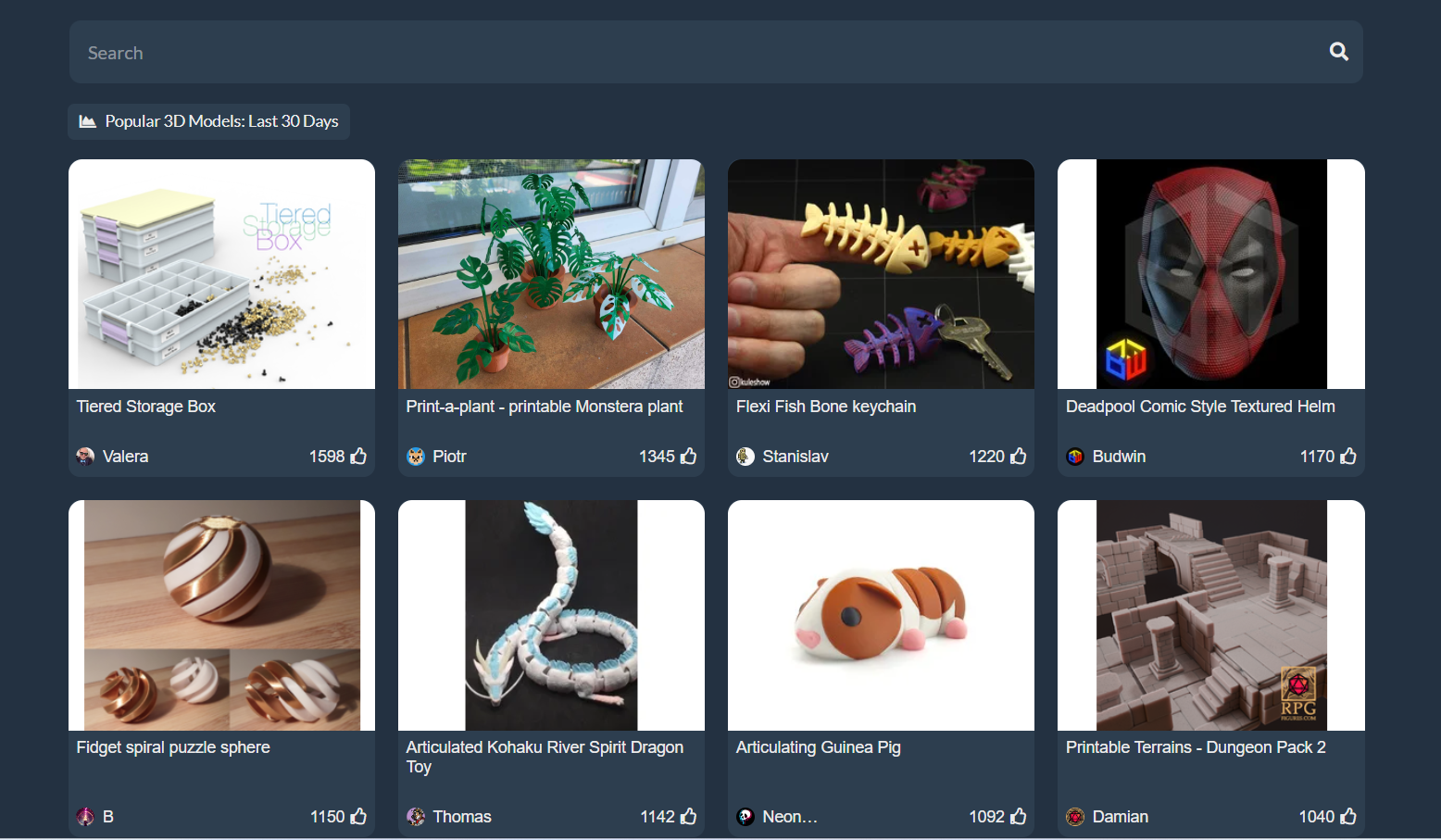
With this tool, you can slice your models online and send them directly to your Sovol SV08, enabling you to start printing and monitoring your projects with AI from virtually anywhere in the world using the Obico app. This addition greatly enhances the flexibility and convenience of managing your 3D printing tasks remotely.
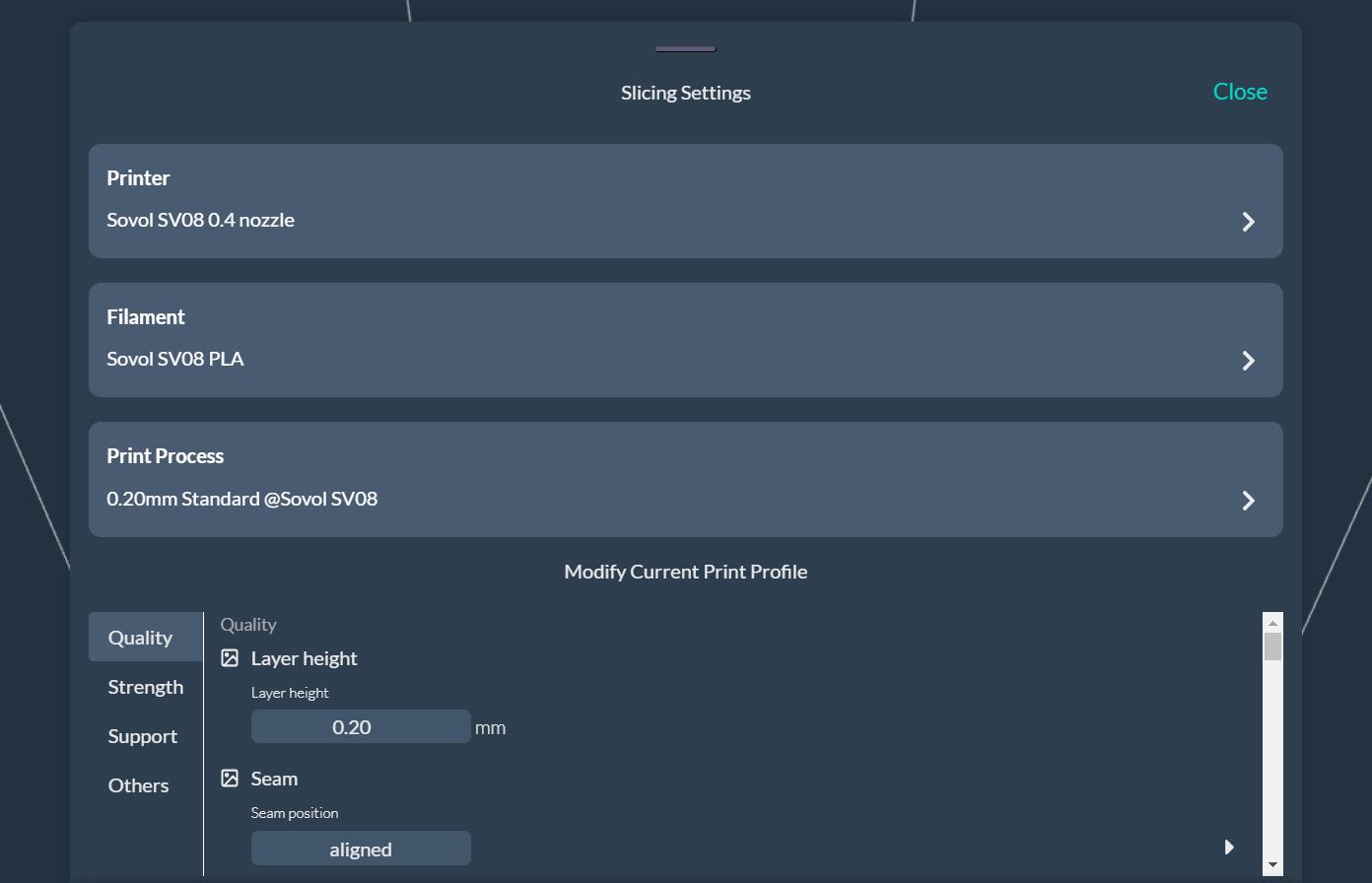
Now that we have covered the features and benefits, let's start our main guide on linking Obico with your Sovol SV08.
Linking Obico with Sovol SV08
Firmware Update for Sovol SV08
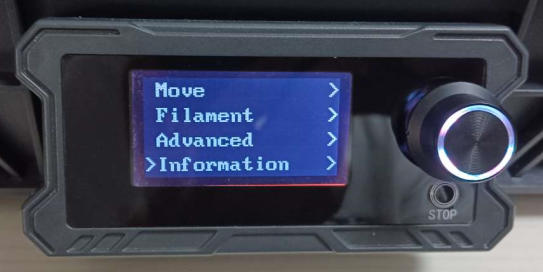
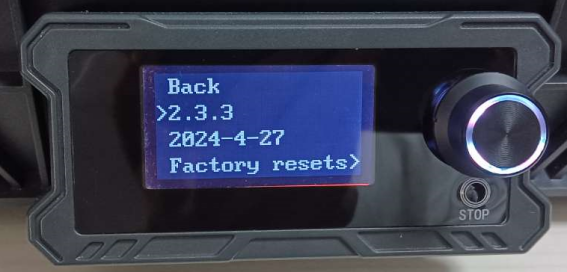
Before connecting your Sovol SV08 to Obico, it's crucial to make sure your printer's firmware is up to date. Specifically, the firmware should be version 2.3.3 or higher. If your firmware is outdated, follow this official guide from Sovol to update it.
source: wiki.sovol3d.com
source: wiki.sovol3d.com
Connecting the SV08 to WiFi
Before using the Obico app, you need to ensure your Sovol SV08 is connected to WiFi. Note that the SV08 only supports 2.4GHz networks, so you may need to disable the 5GHz band on your router.
There are two ways to connect to the network: wireless connection and wired connection
Wireless Connection
- Insert the USB drive into your computer and locate the "wifi.cfg" file. Open it with a text editor and input your WiFi name (SSID) and password.
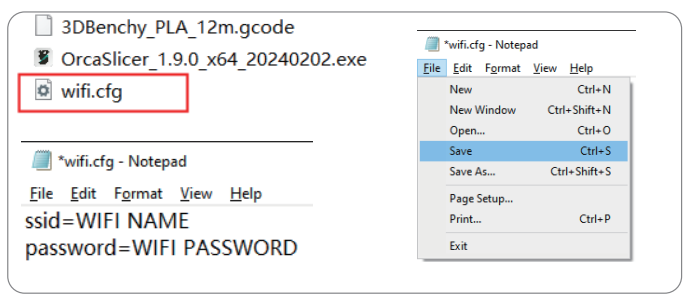
source: wiki.sovol3d.com
Note: The WiFi name cannot contain special characters.
- Save the "wifi.cfg" file in the root directory of the USB drive.
- Power on the printer and insert the USB drive into one of the USB ports on the right side of the machine. Wait for 10-20 seconds for the printer to read the WiFi information.
- Go to the "Advanced" menu on the printer and select "Show IP" to view the assigned IP address. If the address displayed is 127.0.0.1, repeat the steps until the correct IP address appears.
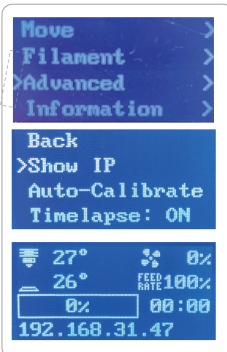
source: wiki.sovol3d.com
- Enter the IP address in any browser on a device connected to the same network to access the Mainsail interface, allowing you to control the printer and confirm WiFi connectivity.
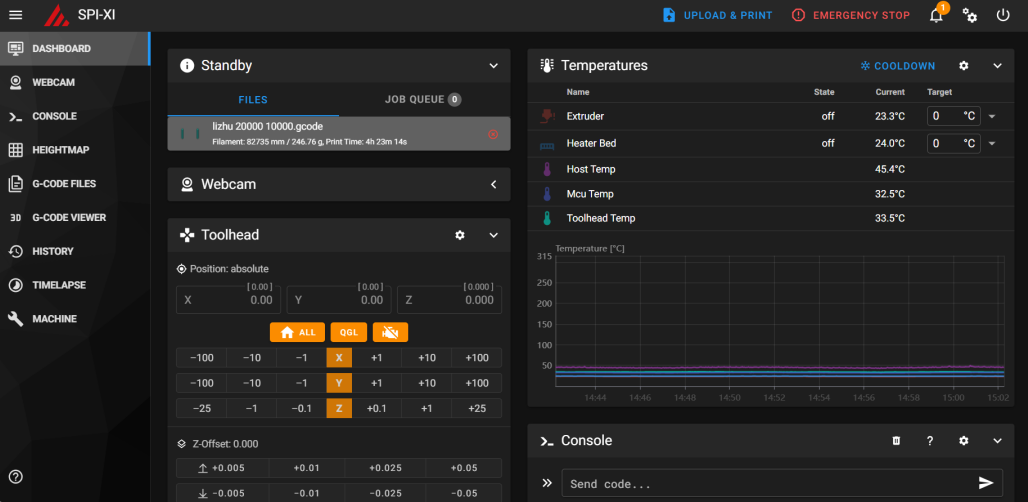
source: wiki.sovol3d.com
If the "wifi.cfg" file is missing, you can create one:
- Right-click on your desktop, select "New" > "Text Document" to create a new TXT file.
- Rename the file to "wifi.cfg," ensuring the extension is in lowercase.
- Click "Yes" when prompted to confirm the file extension change, effectively creating a new .cfg file.

source: wiki.sovol3d.com

source: wiki.sovol3d.com
- Follow the above steps to input your WiFi details and connect your printer to WiFi.
Wired Connection
- Connect the printer to your router using an Ethernet cable.
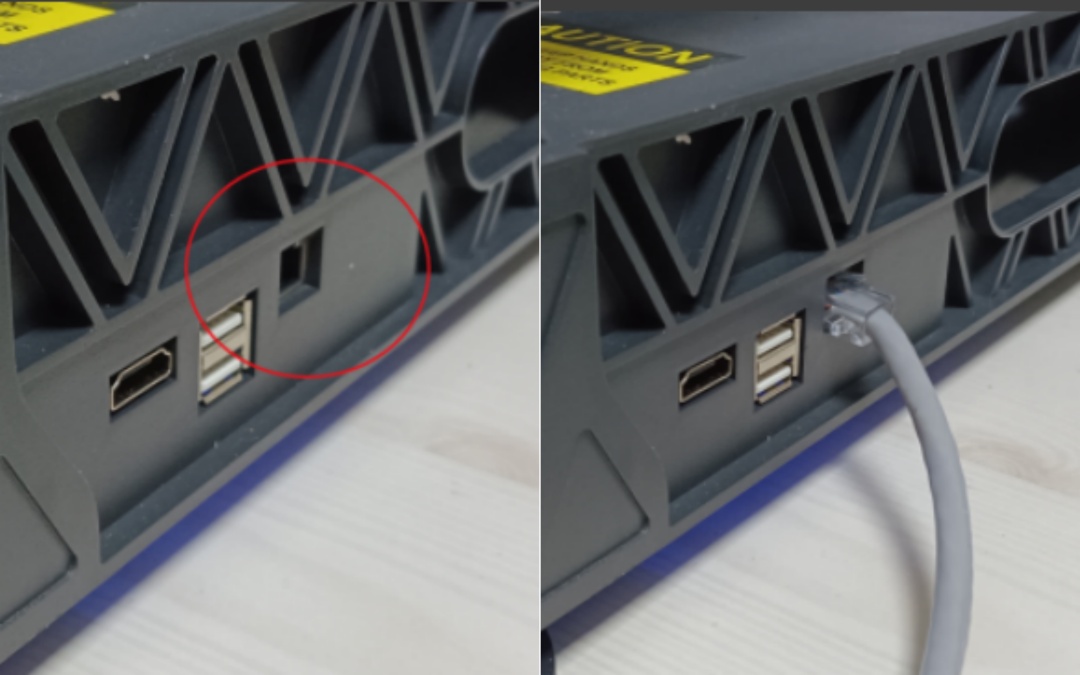
source: wiki.sovol3d.com
- Navigate to the "Advanced" menu on the printer and select "Show IP" to view the assigned IP address.
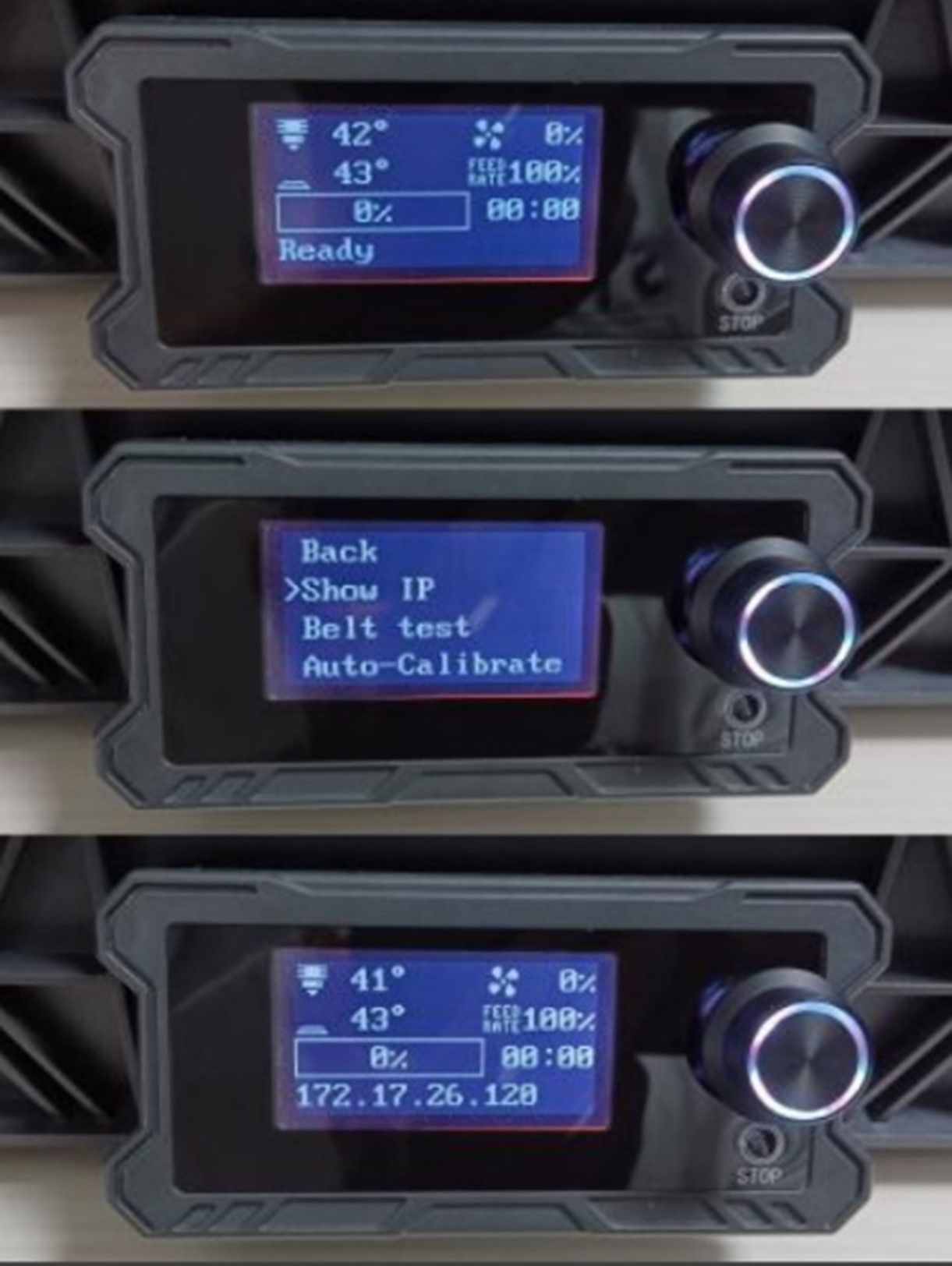
source: wiki.sovol3d.com
- Enter the IP address in any browser on a device connected to the same network to access the Mainsail interface, allowing you to control the printer and confirm WiFi connectivity.
source: wiki.sovol3d.com
Connecting SV08 to Obico
With your SV08 connected to WiFi, you can now link it to the Obico platform for remote access and AI-based monitoring.
Step 1: Installing the Obico App
- Download and install the Obico app from the Google Play Store or Apple App Store, depending on your device
- Alternatively, you can use the online app through the Obico web interface.
Step 2: Connecting to Obico
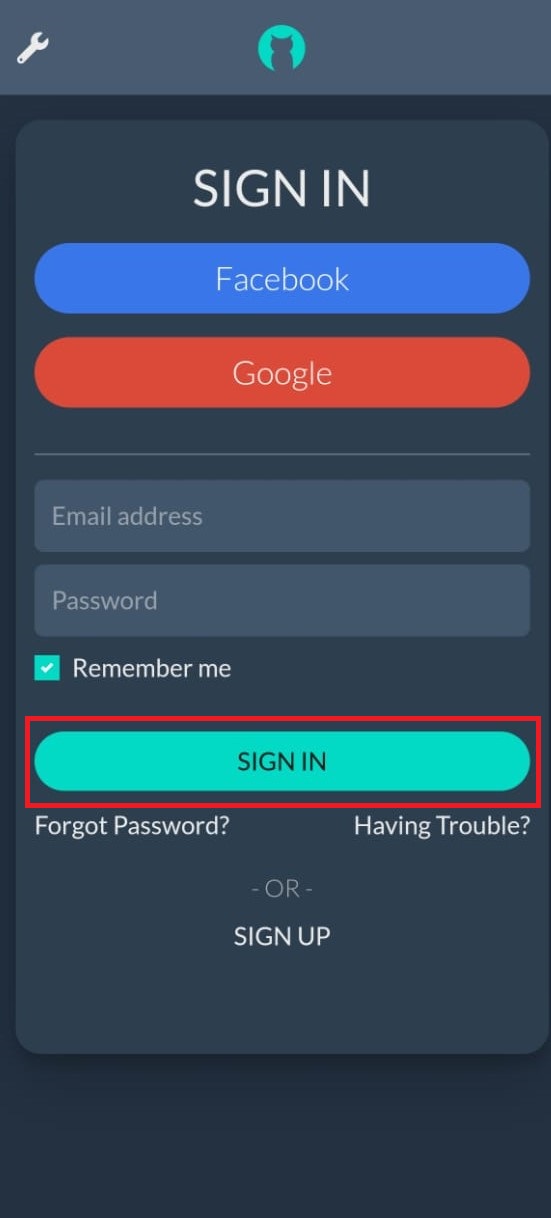
- Sign Up for an Obico account or Sign In if you already have one.
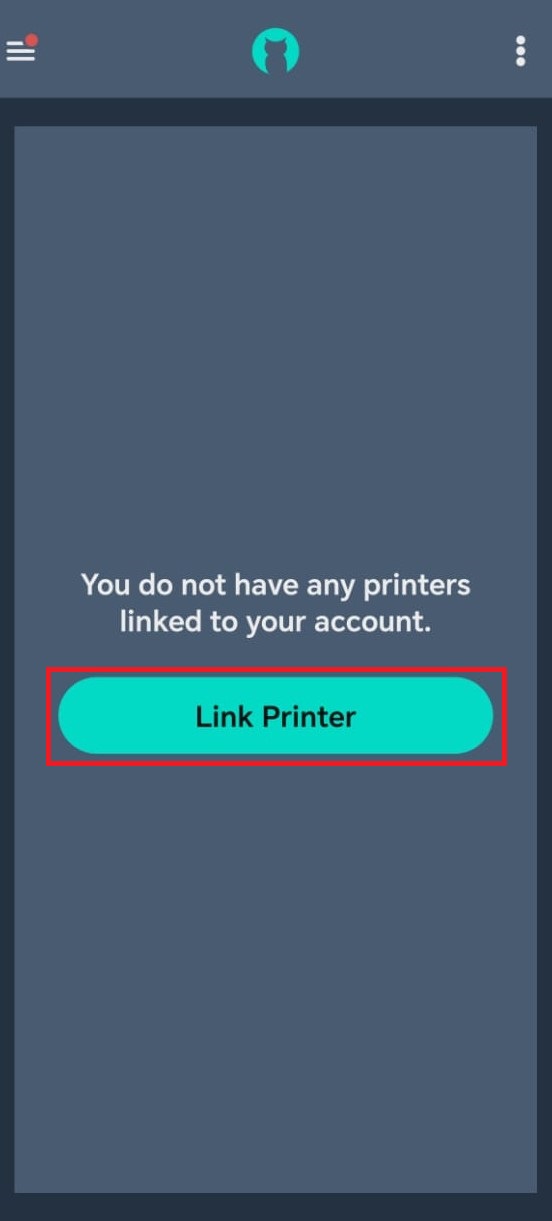
- From the app's main interface, select "Link Printer".
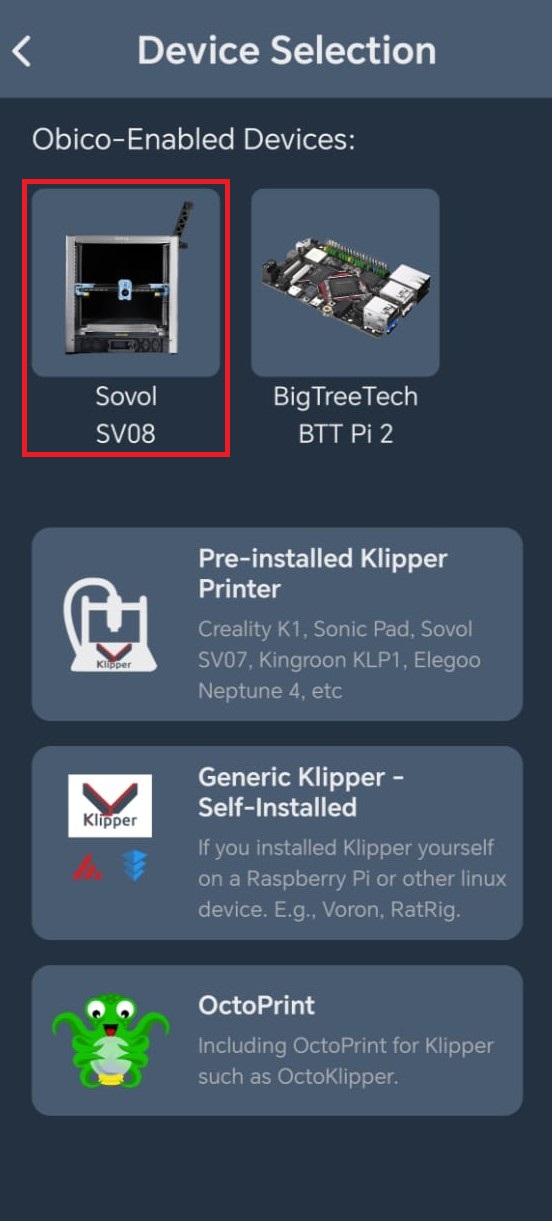
- Choose “Sovol SV08” from the list and then Click “Next”
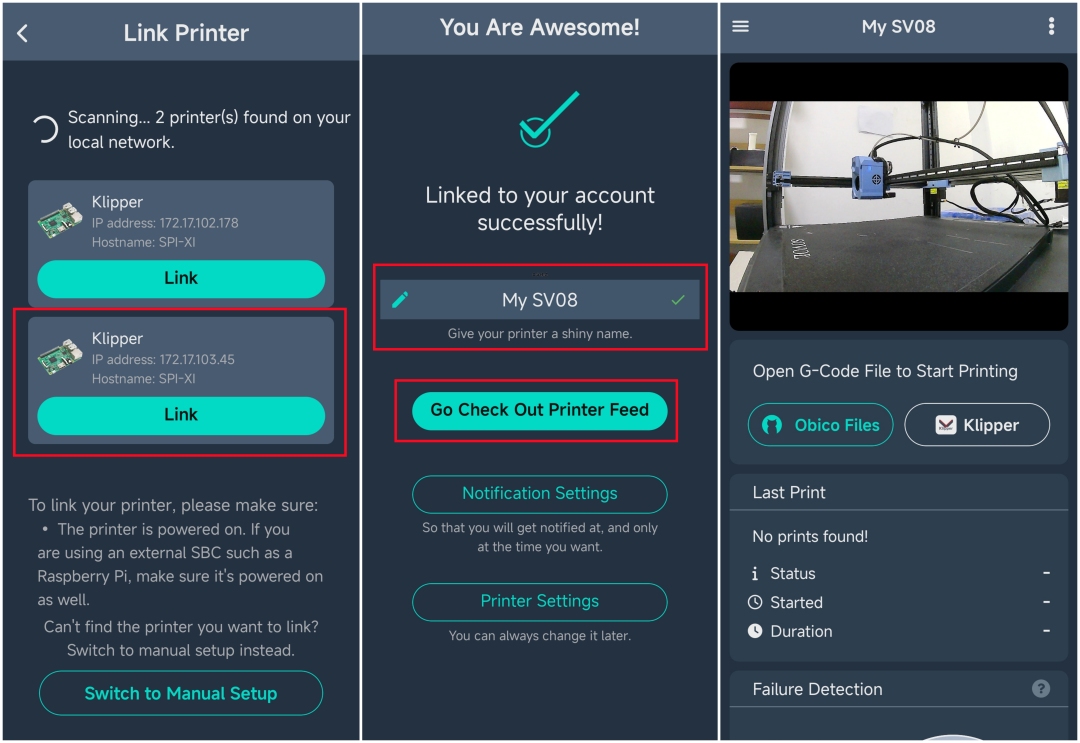
- Obico will automatically search for your printer's IP address. Select the correct IP address corresponding to your SV08's WiFi connection and click "Link"
source: wiki.sovol3d.com
- Once connected, name your printer as desired and then click on “Check Out Printer Feed” to view the printer’s status.
If Automatic Detection Fails, you can switch to manual setup by following these steps
Manual Code Input
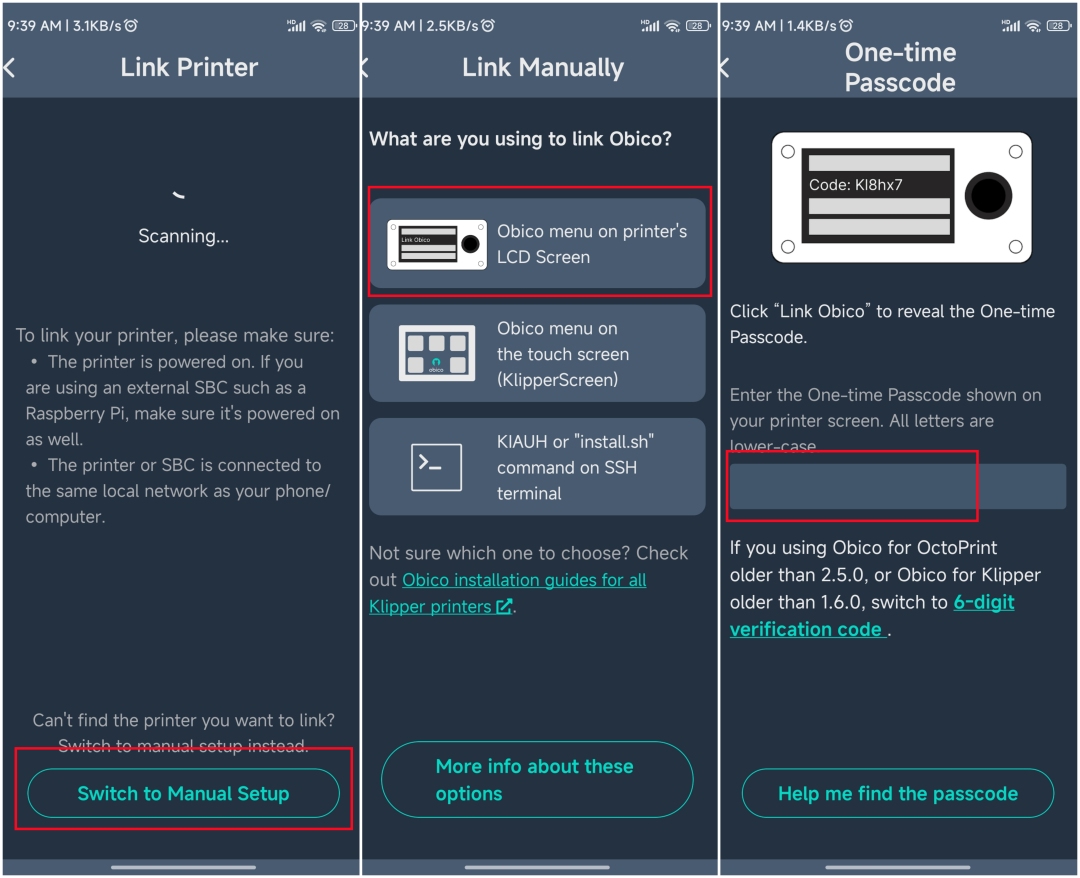
- Click on “Switch to Manual Setup” from the Obico app.
- Then choose “Obico menu on printer’s LCD Screen” from the list. This will open a window where you will enter the linking code.
source: wiki.sovol3d.com
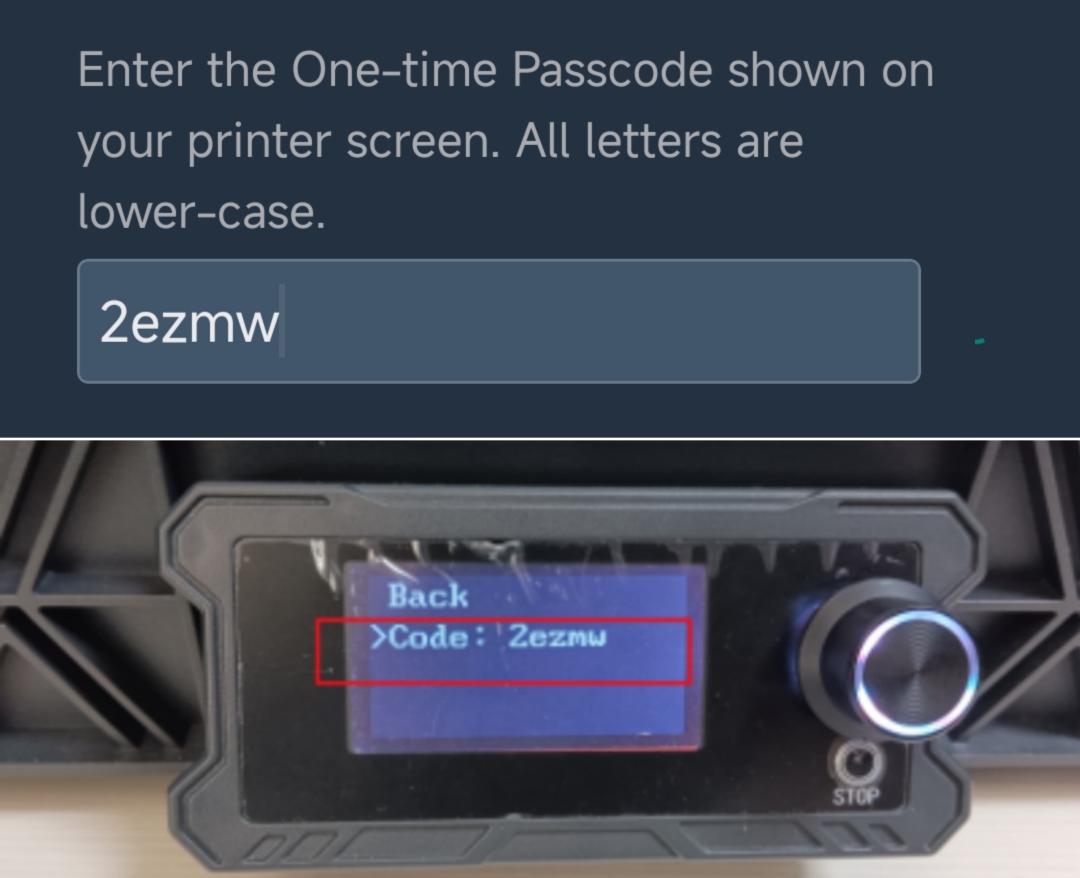
- On the printer, navigate to the Obico function and generate a 5-digit one-time verification code.
- Enter this code into the Obico app to manually connect the printer.
source: wiki.sovol3d.com
- Once connected, enter a custom name for your printer and then click on “Check Out Printer Feed” to view the printer’s status.
Rebinding the SV08
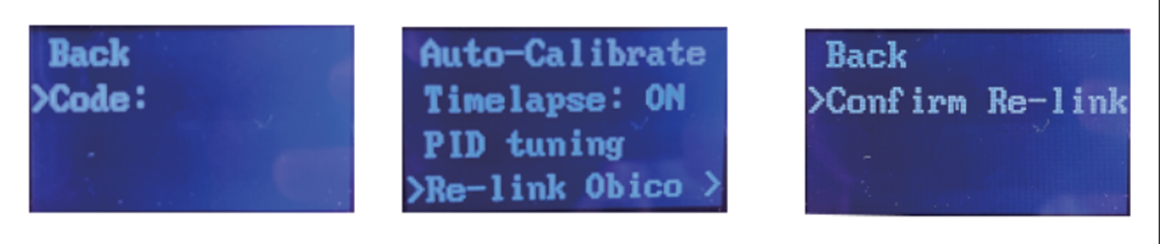
If you need to rebind your SV08 to Obico, you can perform this operation directly on the machine by following the on-screen instructions.
source: wiki.sovol3d.com
FAQs
Q: How do I connect my Sovol SV08 to WiFi?
Answer: To connect your Sovol SV08 to WiFi, you need to insert a USB with the “wifi.cfg” file, which includes your WiFi SSID and password, into the printer. Wait for about 10–20 seconds for the printer to read the WiFi information, and then follow the on-screen instructions to get your IP.
Q: What is Obico, and how does it benefit my Sovol SV08?
Answer: Obico is an AI-powered platform that allows you to remotely monitor, control, and manage your 3D prints. It enhances your Sovol SV08 by providing features like AI-based failure detection, real-time monitoring, and remote access from anywhere.
Q: What is Nozzle Ninja, and how does it improve print quality?
Answer: Nozzle Ninja is an AI-powered feature in Obico that specifically monitors the first layer of your 3D prints. It detects issues like poor adhesion, warping, or extrusion problems in real time, helping to ensure a solid foundation for the rest of the print.
Q: Can I use Obico with other 3D printers besides the Sovol SV08?
Answer: Yes, Obico is compatible with a wide range of 3D printers, including those using Klipper and OctoPrint firmware. It also supports printers with various control boards, making it versatile for many different setups.
Q: How do I update the firmware on my Sovol SV08?
Answer: To update the firmware on your Sovol SV08, download the latest version from the Sovol website, place it on a USB drive, and follow the firmware update process as detailed in the printer’s manual in their official website.
Q: What is the recommended slicer software for the Sovol SV08?
Answer: The recommended slicer software for the Sovol SV08 is Orca Slicer, which comes pre-loaded on the printer’s USB stick. It offers advanced features like organic tree supports and auto-calibration for optimal print quality.
Q: How do I access the Mainsail interface for my Sovol SV08?
Answer: After connecting your Sovol SV08 to WiFi, you can access the Mainsail interface by entering the printer’s IP address in a web browser on a device connected to the same network.
Q: What is the build volume of the Sovol SV08?
Answer: The Sovol SV08 has a substantial build volume of 350 x 350 x 345 mm (13.77 x 13.77 x 13.58 inches), allowing you to print larger models in a single session.
Q: How do I perform bed leveling on the Sovol SV08?
Answer: The Sovol SV08 features an automated bed leveling system that includes calibrating the Z offset, performing Quad Gantry Leveling (QGL), and creating a bed mesh to ensure an even first layer.
Q: Can I control my Sovol SV08 from a mobile device?
Answer: Yes, by using the Obico app on your smartphone or tablet, you can remotely monitor and control your Sovol SV08 from anywhere with an internet connection.
Q: How does Obico’s AI detect print failures?
Answer: Obico’s AI analyzes images from your printer’s camera in real-time to detect common print failures, such as spaghetti (unwanted filament strands). When a potential issue is detected, it can pause the print or send you an alert.
Q: What materials are compatible with the Sovol SV08?
Answer: The Sovol SV08 is compatible with various materials, including PLA, PETG, TPU, PETG-CF, and ABS (with an enclosure), making it suitable for a wide range of 3D printing projects.
Q: How do I connect my Sovol SV08 to Obico if the automatic detection fails?
Answer: If automatic detection fails, you can manually connect your Sovol SV08 to Obico by generating a one-time verification code on the printer and entering it into the Obico app.
Q: What is the significance of the Quad Gantry Leveling (QGL) on the Sovol SV08?
Answer: Quad Gantry Leveling (QGL) on the Sovol SV08 ensures that the printer’s gantry is perfectly level, which is crucial for achieving an even first layer and reducing the likelihood of print failures.
Conclusion
By following this comprehensive guide, you’ve successfully connected your Sovol SV08 to the Obico platform, enabling remote access and AI-powered monitoring. The combination of SV08’s advanced features and Obico’s intelligent management tools, including the groundbreaking Nozzle Ninja system, significantly enhances your 3D printing experience. Whether you’re a hobbyist or a professional, this setup ensures higher success rates, reduced material waste, and greater convenience.
Enjoy the peace of mind that comes with knowing your prints are monitored by one of the most advanced AI systems in the industry, and take full advantage of the powerful features of both the Sovol SV08 and Obico.
Happy printing!