Top Multi-Color 3D Printing Options

3D printing has come a long way, and one of the most exciting advancements is the ability to print with multiple colors or materials in a single go. This makes it possible to create detailed, colorful, and functional models without having to manually paint or assemble them afterward. Whether you're making parts that need different materials or designing colorful, intricate models, multi-material 3D printing can really take your projects to the next level.
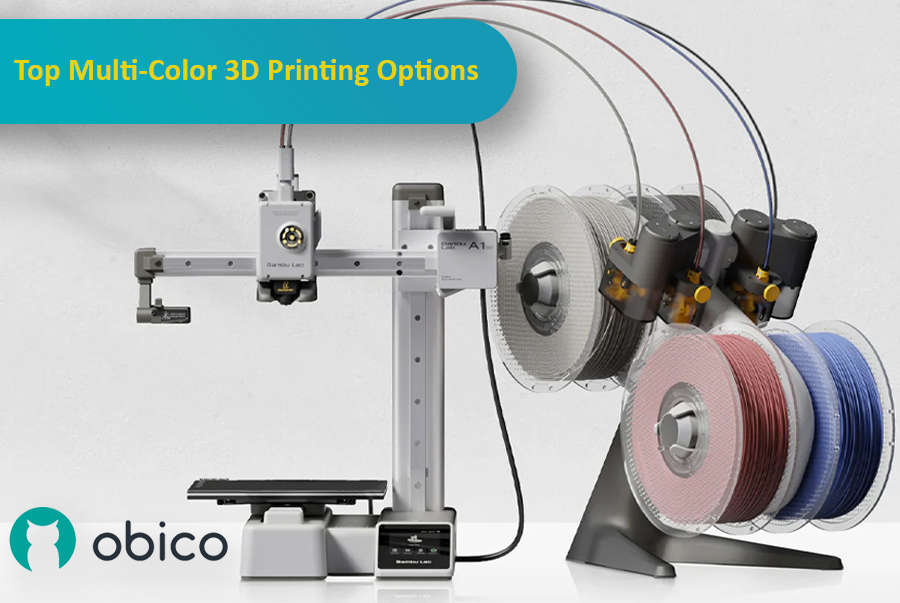
As the technology has improved, more options have become available, each with its own benefits for different users and experience levels. In this article, we'll look at some of the top multi-color 3D printing systems, including the Bambu Lab AMS, Prusa MMU, Enraged Rabbit Carrot Feeder (ERCF), and new systems like the Tradrack and 8-Track. We'll break down how each system works, their pros and cons, and which users they’re best suited for.
Let’s get started!
Before we dive into the specific systems we're covering in this article, let’s take a moment to appreciate why multi-color and multi-material 3D printing is such a big deal, and take a look at the different ways you can achieve multi-color printing.
More Than Just Visual Appeal
Sure, adding multiple colors to a print can make it look fantastic, but the benefits go far beyond aesthetics. Multi-material printing allows you to combine different materials with unique properties in a single print. For instance, you can create parts that are both strong and flexible or use special support materials that can be easily dissolved after printing such as PVA or HIPS, leaving you with a clean, detailed object.
Printing with multiple materials isn’t always straightforward and isn’t compatible with all systems, especially when the materials require different printing temperatures. We’ll clarify this further in the upcoming sections.
Imagine printing a tool handle where the grip needs to be soft and flexible, while the rest of the tool requires a tough, rigid material.
Multi-material printing makes this possible, allowing you to combine different filaments within a single print to achieve exactly the functionality you need.
Three Main Methods for Multi-Color and Multi-Material Printing
There are three primary methods to achieve successful multi-color or multi-material 3D prints: Filament Swapping, Dual Extrusion and Tool Changers, and Automated Material Switching Systems. Each method has its own strengths and is suitable for different kinds of projects.
1. Filament Swapping
How It Works
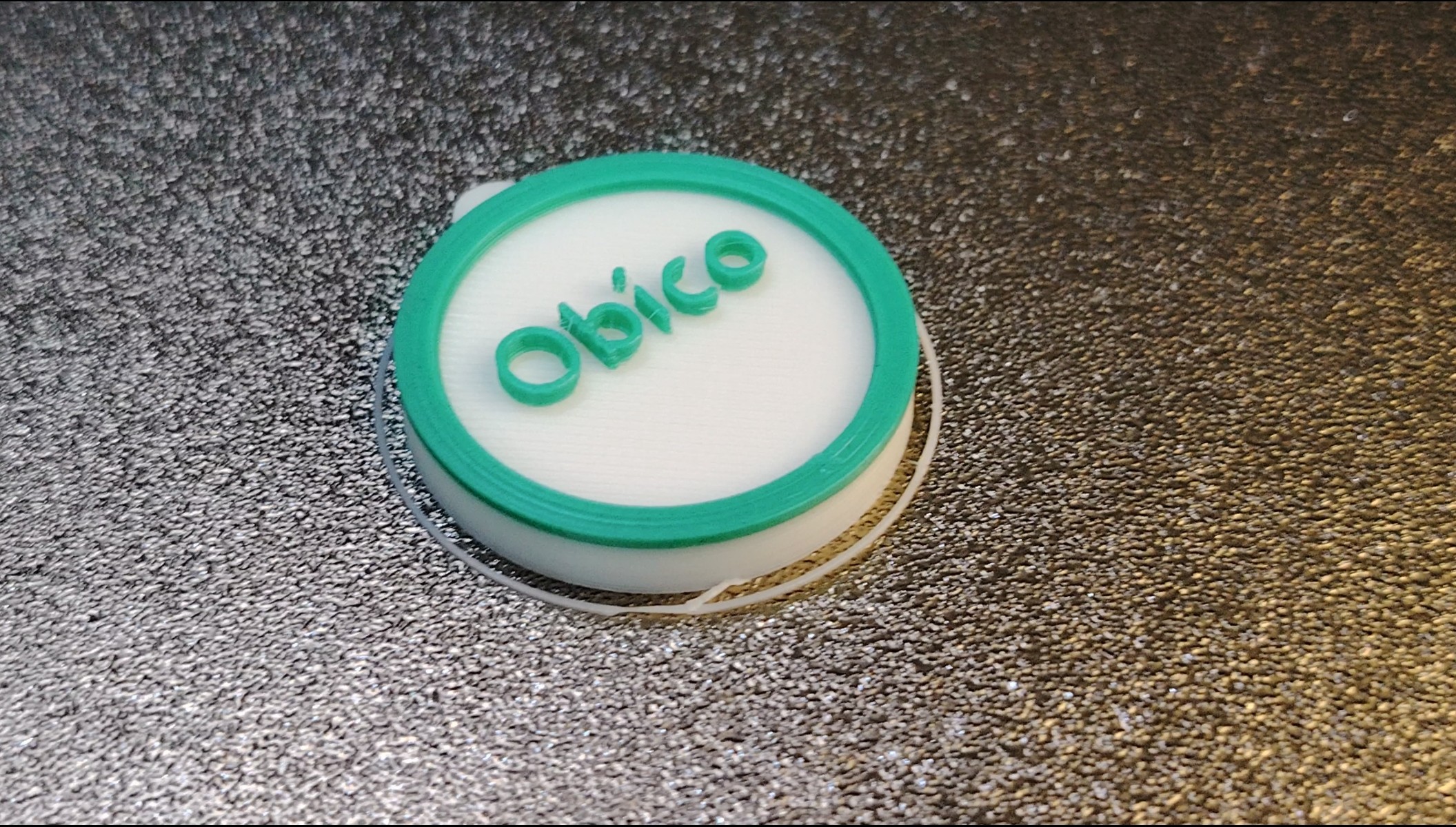
Filament swapping is one of the easiest ways to add multiple colors or materials to your 3D prints, and it works with almost any printer. The process involves adding special commands to your print’s instructions (G-code) that tell the printer to pause at the end of a layer and change filament. When the printer pauses, you manually swap the filament for a new color or material, then resume the print. The printer picks up right where it left off, now using the new filament.
Use Cases
This method is perfect for projects where you want clear, distinct color sections or different materials without needing any fancy equipment.
For example, if you’re printing a decorative vase, you could easily switch between colors to create different colored stripes. It’s a simple technique that’s accessible to just about anyone with a 3D printer, making it great for straightforward designs.
Limitations
While filament swapping is simple and cost-effective, it does have some downsides. It only works for changing materials between layers, so it’s not useful if you need to mix materials within the same layer, like using a dissolvable support material or complex supports. Because in this case it will require a lot of material changes, it can become quite time-consuming. Every time you swap filament, you have to change the spool and then resume printing, which can turn a quick job into a much longer one.
There’s also the issue of temperature settings. If the new filament you’re switching to needs a different temperature than the one you started with, you’ll need to adjust your printer’s G-code to avoid any issues with the print quality. However, even with these adjustments, issues like clogging can still occur when switching between materials with different temperature needs. You can modify the G-code to handle these changes, but it will require more time for the printer to cool down or heat up.
2. Dual Extrusion and Tool Changers
How It Works
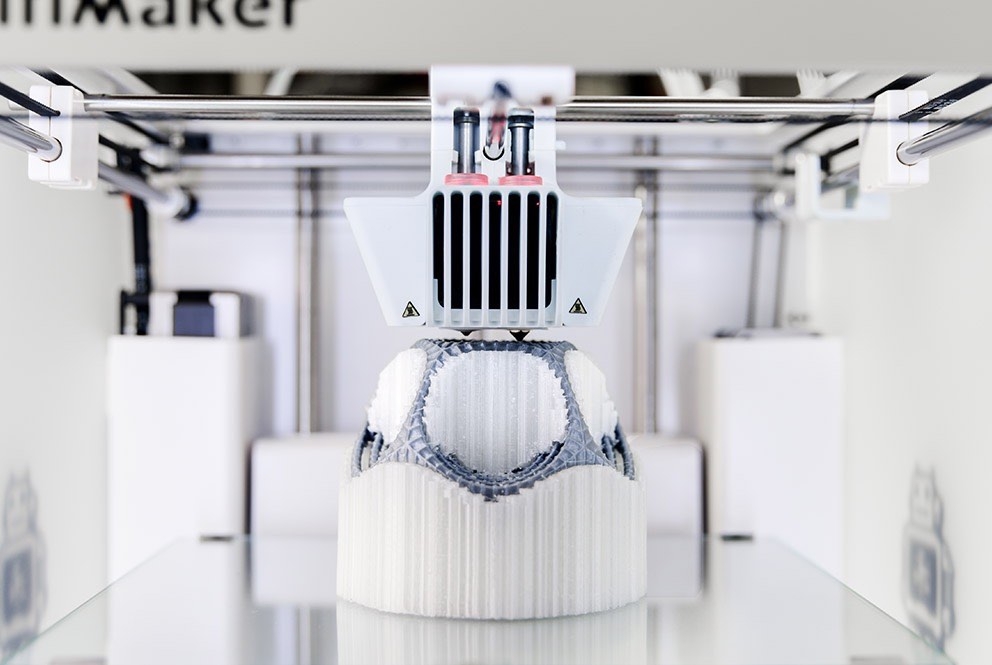
Dual extrusion means your 3D printer has two extruders, each loaded with its own filament. This setup lets you print with different colors or materials in the same layer. For example, one extruder might print with a strong, rigid filament, while the other uses a flexible material.
source: core-electronics.com.au
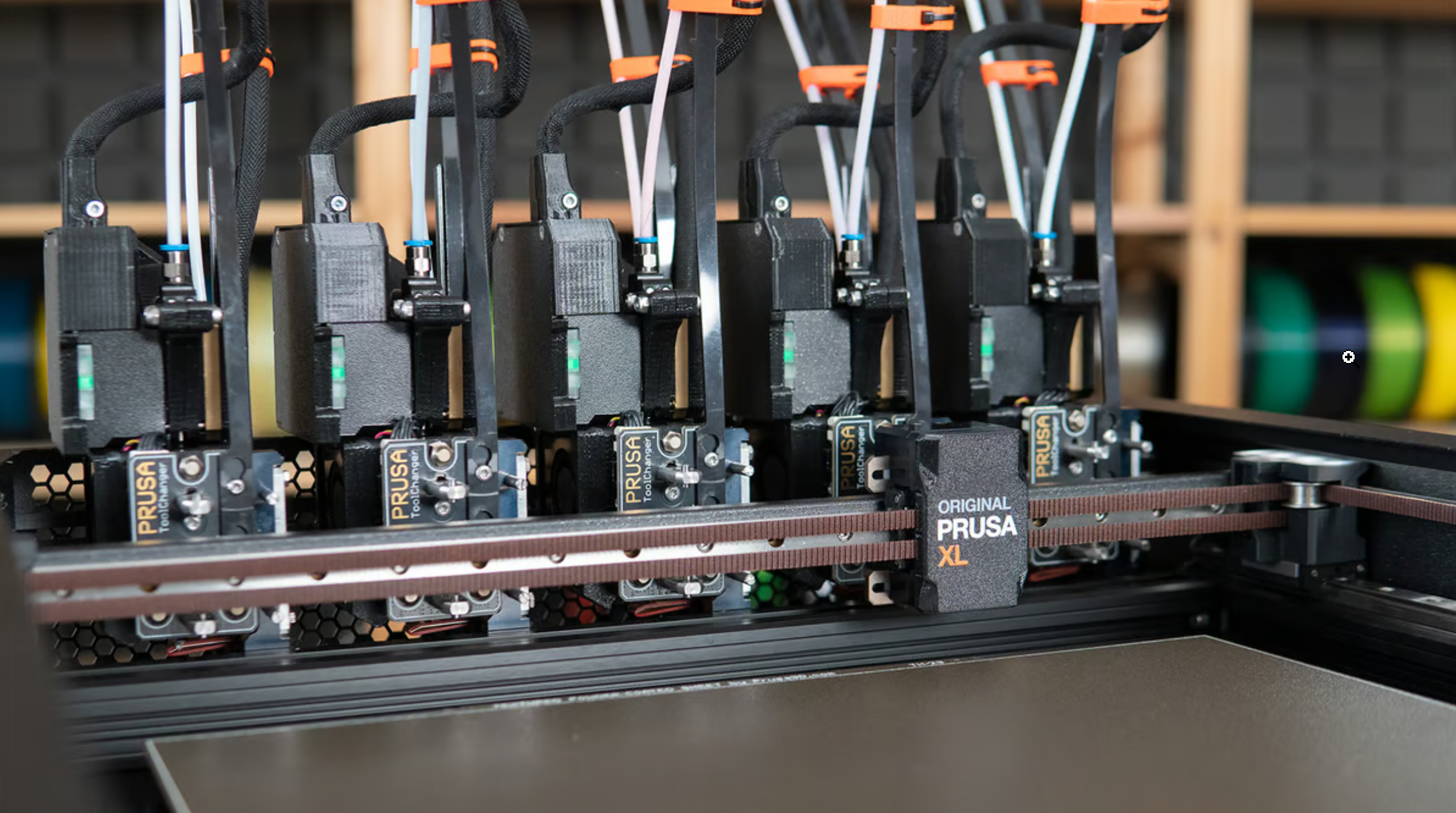
Tool changers, like those found on the Prusa XL, take this concept further by allowing the printer to swap between multiple tools during a single print. This means you can use several different filaments with different colors or properties within the same print job.
source: all3dp.com
Use Cases
This method is perfect for advanced projects where you need different materials or colors in the same layer. For example, you could print a part with a strong, rigid frame and flexible joints, or create a prototype with a tough core and a soft outer layer for cushioning.
One of the significant advantages of using dual extrusion or tool changers is the ability to handle materials with different temperatures with no problems because each material is fed through a separate nozzle, each with its own distinct heater.
Additionally, these systems are efficient because they only use the exact amount of material needed for each part of the print, reducing waste. Unlike the automated material switching systems, you won’t have to deal with wasteful purge towers or produce “poop” of unused filament.
Limitations
However, dual extrusion and tool changers come with some downsides. They can be more expensive and challenging to set up. With multiple extruders or tools, there’s more that can go wrong—like misalignment or filament jams.
You’ll also need to plan your prints carefully to make sure everything works smoothly, which might mean spending extra time getting familiar with slicing software, especially when it comes to reducing retraction issues.
But despite these challenges, this method is the best way to combine different materials with varying temperature settings in the same print without wasting filament or encountering significant issues.
3. Automated Material Switching Systems
How It Works
Automated Material Switching Systems, like the Bambu Lab AMS, Prusa MMU, or Enraged Rabbit Carrot Feeder (ERCF), make changing filaments during a print automatic and easy. These systems allow one printer nozzle to use multiple filaments by automatically switching between them as needed. The printer’s instructions (G-code) tell it when to swap colors or materials, and the system does it for you.
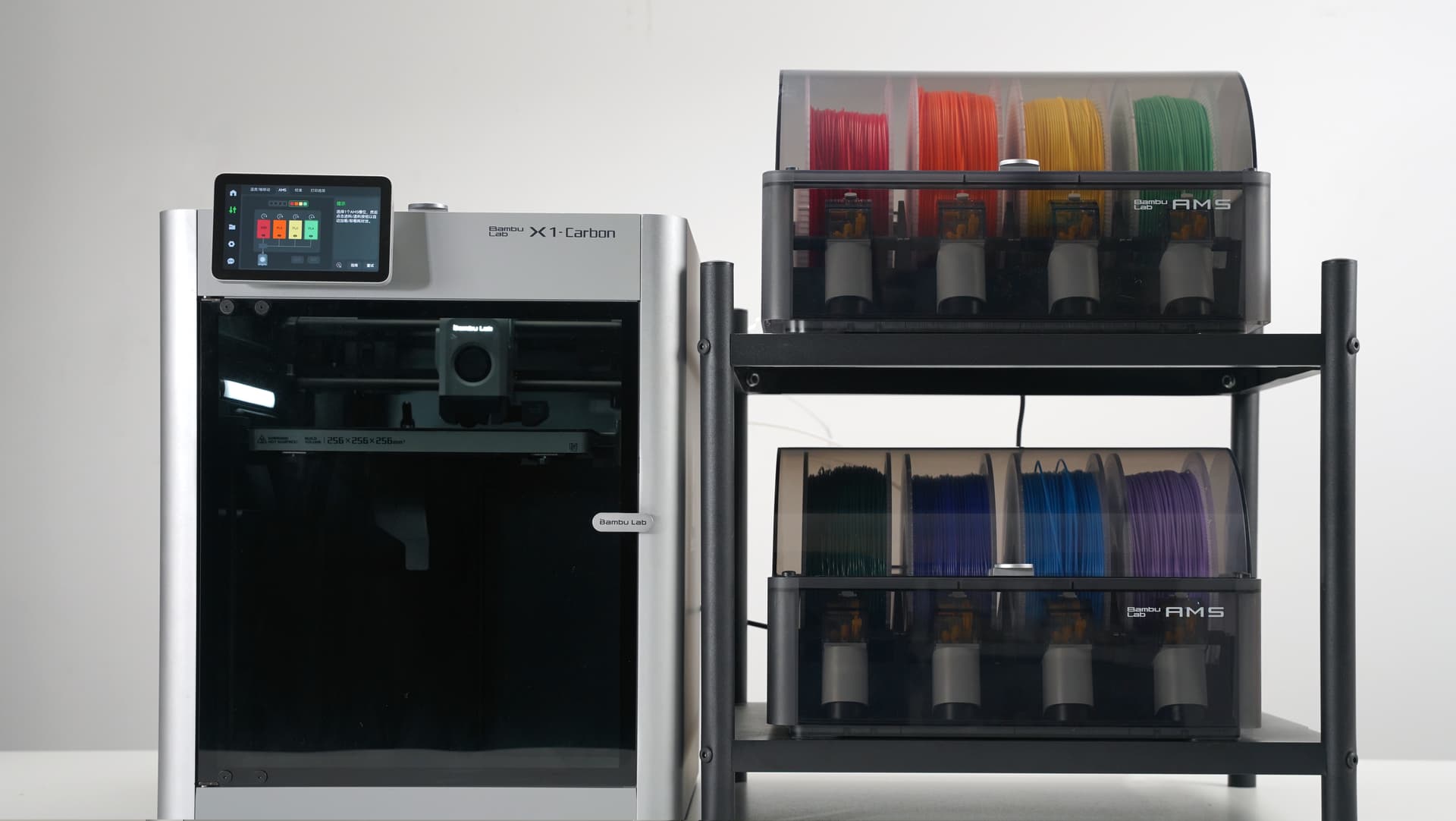
source: all3dp.com
Some of these systems can handle four or more filaments, making it possible to create complex prints with different colors or materials all in one go.
Use Cases
These systems are perfect for projects where you need to smoothly switch between colors or materials without pausing the print. For example, you could print a detailed, multi-colored figurine or a part that needs both strong and flexible sections. These systems are great for adding detail and complexity to your prints without much extra work.
Advanced slicers that work with these systems also offer painting options, so you can easily assign different colors or materials to specific parts of your model. Since everything is automated, you don’t have to worry about manually changing filaments, which saves time and helps prevent mistakes.
Limitations
These systems can be expensive and might make your printer more complicated to use. When switching filaments, the system often creates some waste material, which can add up, especially if you’re changing colors frequently.
Another limitation is that these systems generally work best with materials that have similar printing temperatures. For example, you can combine PLA and PETG as long as their temperatures aren’t too far apart, but trying to use PLA with ABS could lead to issues like clogging or even damage to your printer. Because of this, Automated Material Switching Systems are usually limited to specific materials that they support, so you’ll need to stick with compatible filaments to avoid problems.
There’s also the chance that the filament could get tangled or jammed, which could mess up your print and require manual intervention.
The quality of these systems can vary, so you might need to experiment to find what works best with your printer and filaments.
What’s Next?
In this article, we’re going to focus on Automated Material Switching Systems, which offer a highly efficient way to achieve multi-color and multi-material prints. We’ll cover the following systems:
- Bambu Lab AMS & AMS-Lite
- Prusa Multi-Material Upgrade (MMU)
- Enraged Rabbit Carrot Feeder (ERCF)
- Tradrack Multi-Color System
- 8-Track Multi-Color System.
Let’s continue.
1. Bambu Lab AMS & AMS-Lite
Bambu Lab AMS (Automatic Material System)
The Bambu Lab AMS (Automatic Material System) is a smart, efficient system designed to make multi-material 3D printing much easier. It can handle up to four different filaments at once, and if you need more, you can connect multiple units to manage up to 16 filaments in one go. This is perfect for complex projects that require multiple colors or materials.
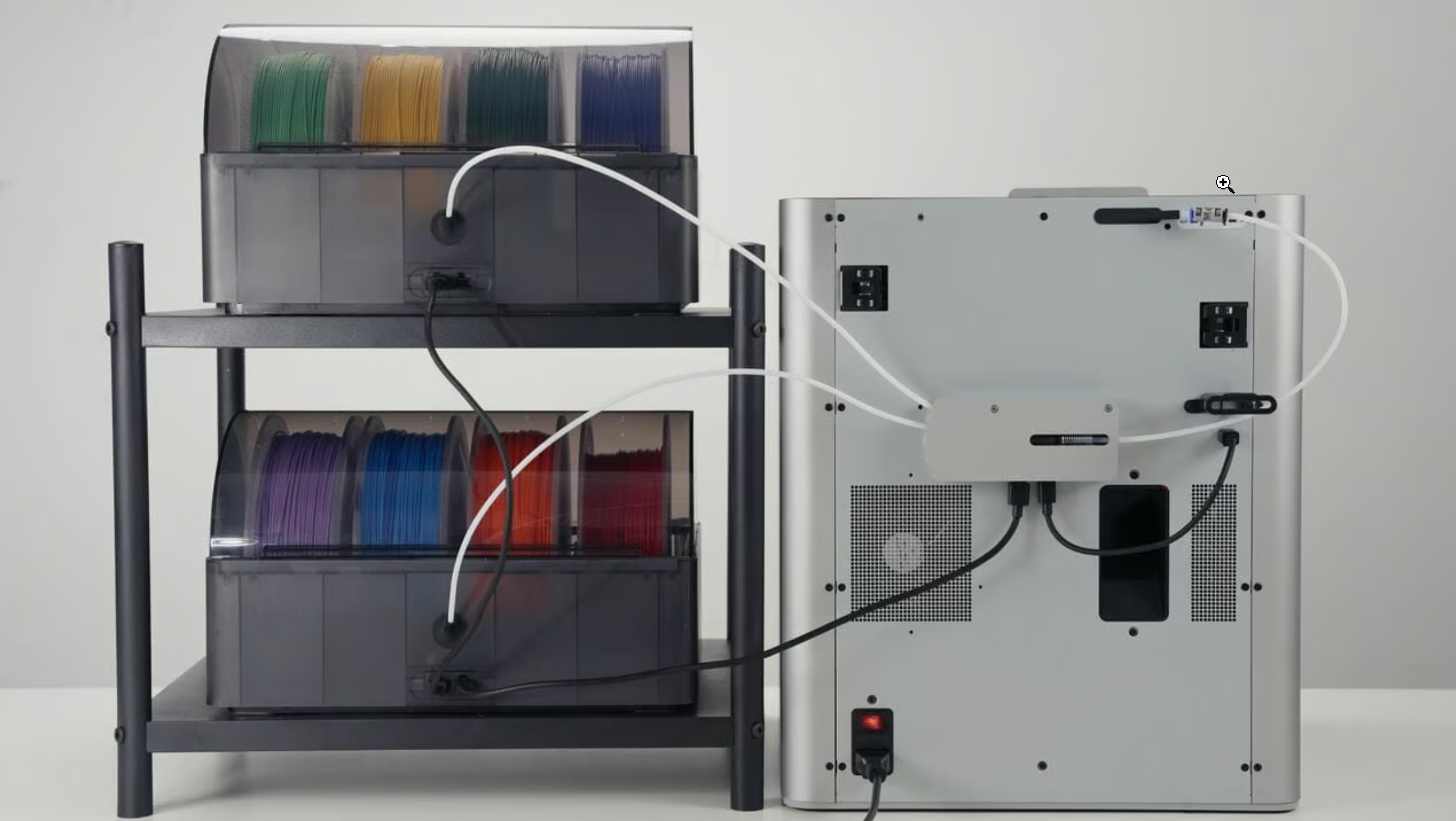
source: bambulab.com
The AMS uses RFID tags to automatically identify each filament and apply the correct settings, so you don’t have to worry about making adjustments yourself, as it is synchronized automatically with Bambu Studio. It also has sensors to detect if a filament runs out or gets tangled, which helps keep your print running smoothly. Plus, it keeps your filaments dry with a tight seal and a moisture absorber, which helps prevent many printing problems. There’s even a humidity sensor to let you know when the humidity is higher or the desiccant needs replacing.
This system is made specifically for Bambu Lab’s X1 and P1 series printers and works seamlessly with Bambu Studio, where you can easily customize your prints using the color painting tool.
Pros:
- Can manage up to 16 filaments with multiple units, ideal for projects that need a lot of different colors or materials.
- Automatic filament switching and smart detection systems reduce the need for manual intervention and help prevent print failures.
- RFID-based filament identification and moisture control ensure your prints come out just right.
- Works with a wide range of supported filaments including PLA, PETG, ABS, ASA, PET, PA, PC, PVA (dry), BVOH (dry), PP, POM, HIPS, and Bambu PLA-CF/ PAHT-CF/ PETG-CF.
- When the filament runs out, AMS allows a seamless transition to a new spool, keeping the print uninterrupted and minimizing waste.
- Filament tangle detection immediately suspends printing if the filament encounters resistance, such as when it is tangled or the spool is stuck, avoiding air printing and ensuring the print’s success.
Cons:
- Only compatible with Bambu Lab’s X1 and P1 series printers, so it’s limited to those models.
- Not compatible with unsupported filaments like TPE, TPU, PVA (wet), BVOH (wet), Bambu PET-CF/ TPU 95A, and other brands' filaments that contain carbon fiber or glass fiber.
- Limited to a filament diameter of 1.75 mm, which may restrict the use of certain specialty filaments.
Best For:
Anyone who regularly works on complex, multi-material projects and uses Bambu Lab’s X1 and P1 series printers.
Bambu Lab AMS-Lite
The Bambu Lab AMS-Lite is a smaller, more budget-friendly option compared to the full AMS. It’s great if you’re just starting out with multi-material printing or if your projects don’t need all the extra features. It handles up to four filaments, but it’s important to know that it only works with Bambu Lab’s A1 series printers.
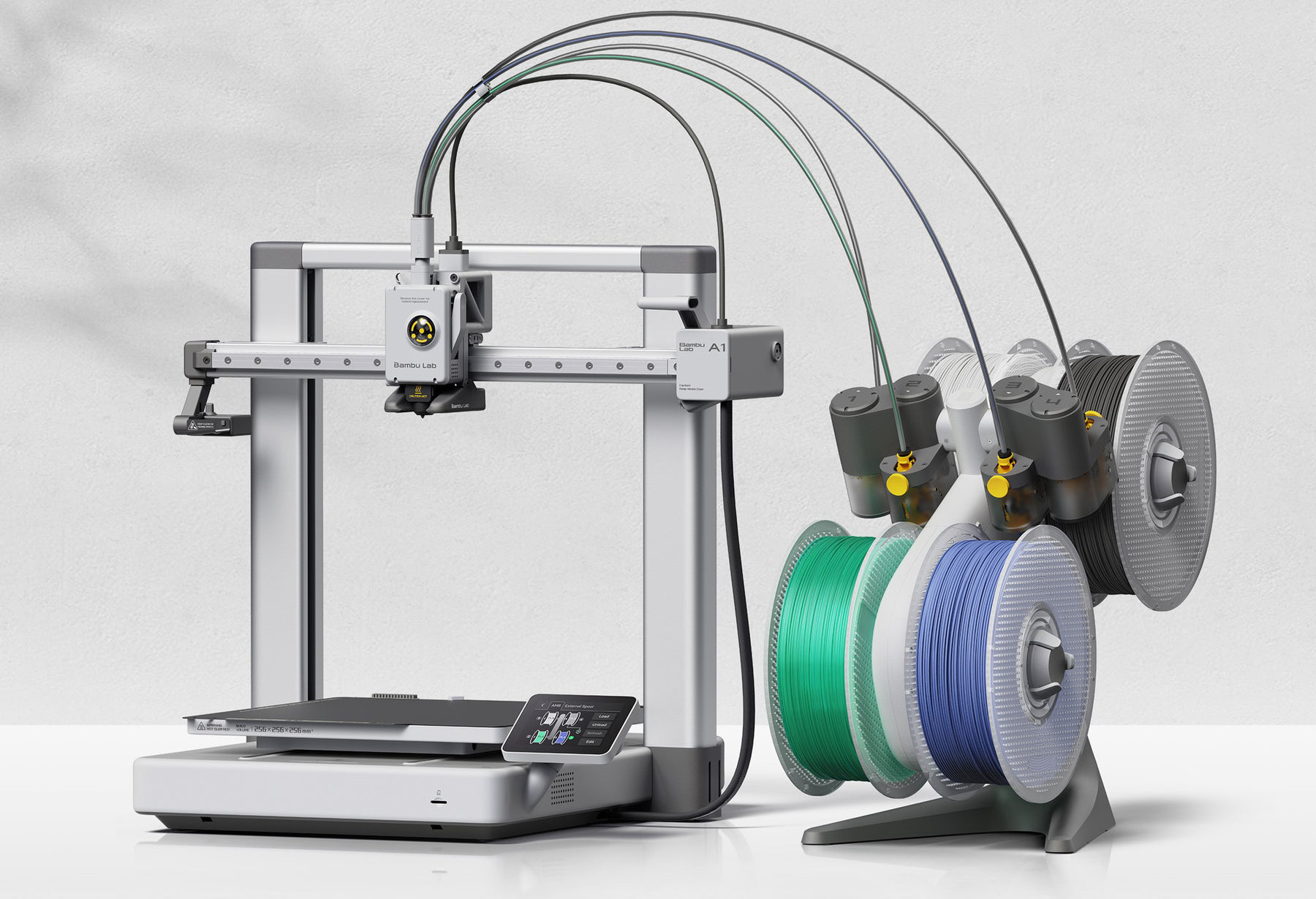
source: bambulab.com
Even though it’s more compact, the AMS-Lite still makes filament changes automatically, so you don’t have to stop your prints to switch materials. Its small size means it fits well in tight spaces, and it’s light enough to move around easily. Like the full AMS, it’s designed to work smoothly with Bambu Lab printers (A1 series) and is compatible with Bambu Studio. The AMS-Lite includes RFID Filament Sync, where Bambu Lab filaments use RFID tags that are read by the AMS to automatically identify and apply the best settings for your material. The RFID tag is also synchronized automatically with Bambu Studio.
The simple and exposed design of the AMS-Lite makes it very easy to work on. Through the translucent shell, users can easily observe the inner operation structure for troubleshooting. The spring-loaded rotary spool holder grips the spool at the center hole, enhancing compatibility with spools from different manufacturers, including paper spools.
Pros:
- A budget-friendly option that makes multi-material printing accessible to more people.
- Compact design is perfect if you’re short on space or need a portable solution.
- Easy to maintain with a design that allows for quick troubleshooting and improved spool compatibility.
- RFID Filament Sync automatically identifies and applies the best settings for your material, simplifying the printing process.
- The translucent shell allows users to easily monitor the inner operation, making it easier to spot and resolve issues.
- Supports a wide range of filaments, including PLA, PETG, ABS, ASA, PET, PA, PC, PVA (dry), BVOH (dry), PP, POM, HIPS, Bambu PLA-CF, and PAHT-CF.
Cons:
- Limited to four filaments, so it might not be enough for more complex projects, and you cannot connect more units together like the Full AMS.
- Only works with A1 series Bambu Lab printers.
- Not recommended for certain filaments like Bambu PLA Glow, Bambu PETG-CF, and other generic brands of PLA Glow-in-the-dark.
- Does not support filaments like TPE, TPU, PVA (wet), BVOH (wet), Bambu PET-CF, PA6-CF, TPU 95A, and other filaments that contain carbon fiber or glass fiber.
Best For:
People who are new to multi-material printing or need a simple, cost-effective solution for smaller projects, and using Bambu Lab’s A1 series printers.
It’s also well-suited for those who appreciate easy maintenance and compact, portable designs.
When using AMS or other Automated Material Switching Systems, it's important to stick with materials that have similar printing temperatures. If you switch between materials with different temperature needs, it can cause issues like clogs or even damage the nozzle. For example, you can print with PLA and PETG together if their temperatures are close, but mixing PLA with ABS isn’t a good idea because their temperatures are too different.
2. Prusa Multi-Material Upgrade (MMU)
Prusa Research is a leader in the 3D printing industry, known for pushing the boundaries of what’s possible. Their Multi-Material Upgrade (MMU) series is a prime example, enabling multi-color and multi-material printing on single-extruder printers.
The Prusa Multi-Material Upgrade 3 (MMU3) is an advanced add-on for the Original Prusa i3 MK3S+/MK3.5 and MK4 printers. It allows users to print with up to five different filaments in one go. The MMU3 provides five filament inputs, which can be managed through PrusaSlicer to assign different materials or colors to each input. Once your model is sliced, the system automatically handles filament switching.
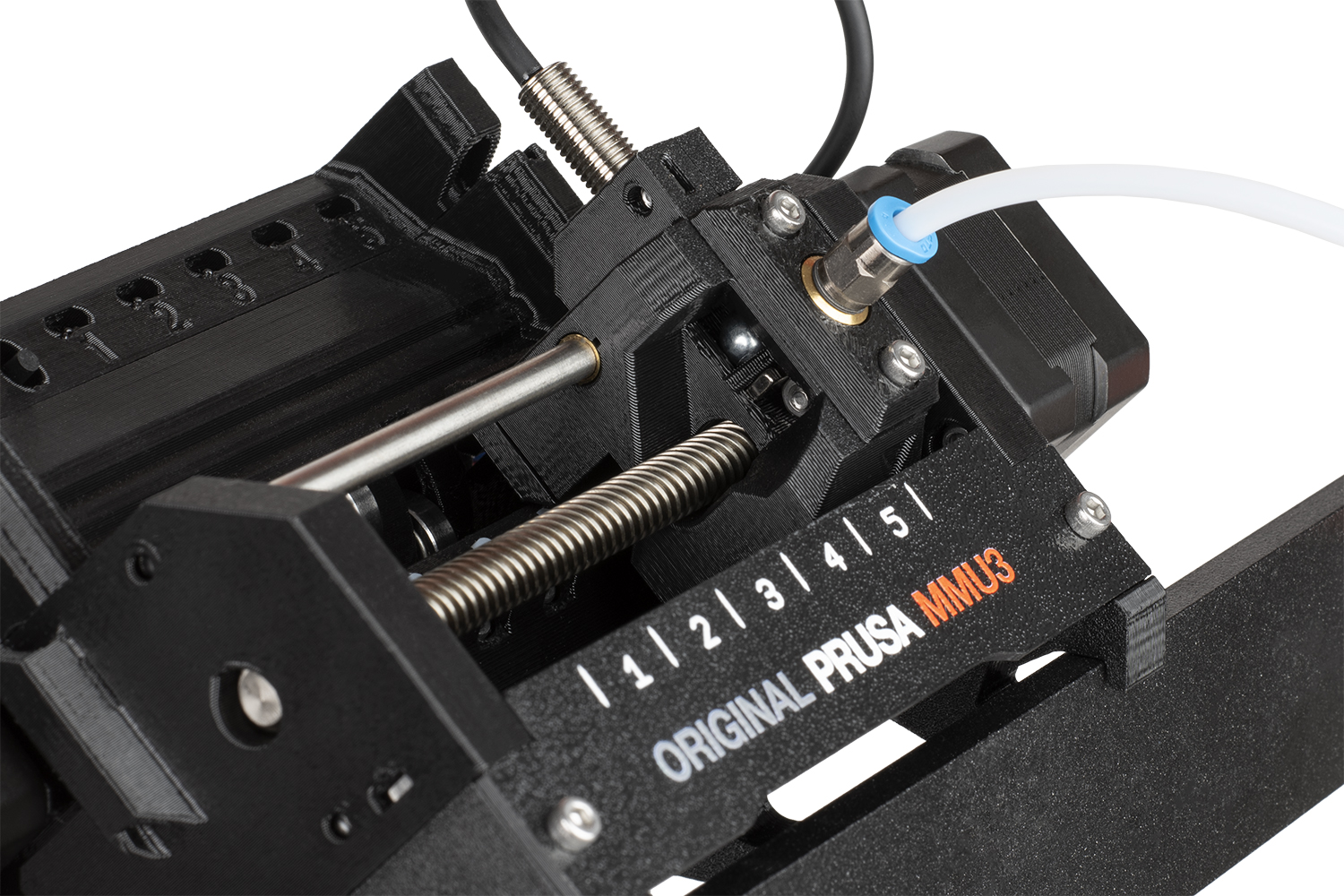
source: prusa3d.com
The MMU3 operates by selecting the correct filament and feeding it into the extruder. When it’s time to change colors or materials, the transition is smooth, enabling the creation of complex, multi-material designs without manual intervention.
One of the main challenges in multi-material printing is preventing cross-contamination between filaments. The MMU3 tackles this with a “wipe tower,” a small block printed alongside your main object that purges the previous filament before the next one is used. This feature ensures clean prints and a tidy workspace.
There are also additional options in PrusaSlicer, such as "wipe into infill" and "wipe into object," which help reduce filament waste by using the model's infill or a separate object for purging.
Pros:
- Supports printing with up to five filaments at once, ideal for complex, multi-color, or multi-material projects.
- Automates filament switching, minimizing the need for manual adjustments.
- Fully integrated with PrusaSlicer, offering user-friendly features for efficient filament management and model coloring.
- Improved reliability with larger PTFE tubes, redesigned filament buffers, a better filament sensor, and new metal parts for smoother and more dependable performance.
- Updated firmware with two-way communication between the MMU3 and the printer, providing real-time diagnostics and error alerts on the printer’s display.
- Simple upgrade from MMU2S to MMU3 with an easy update package.
Cons:
- Compatible only with Original Prusa MK3S+/MK3.5 and MK4 printers, limiting its use to these models.
- The learning curve can be steep for those new to multi-material printing or unfamiliar with PrusaSlicer’s advanced features.
- Initial setup and assembly may be complex, particularly for beginners.
Best For:
The Prusa MMU3 is ideal for users with a compatible Prusa printer looking to expand into multi-material and multi-color printing.
3. Enraged Rabbit Carrot Feeder (ERCF)
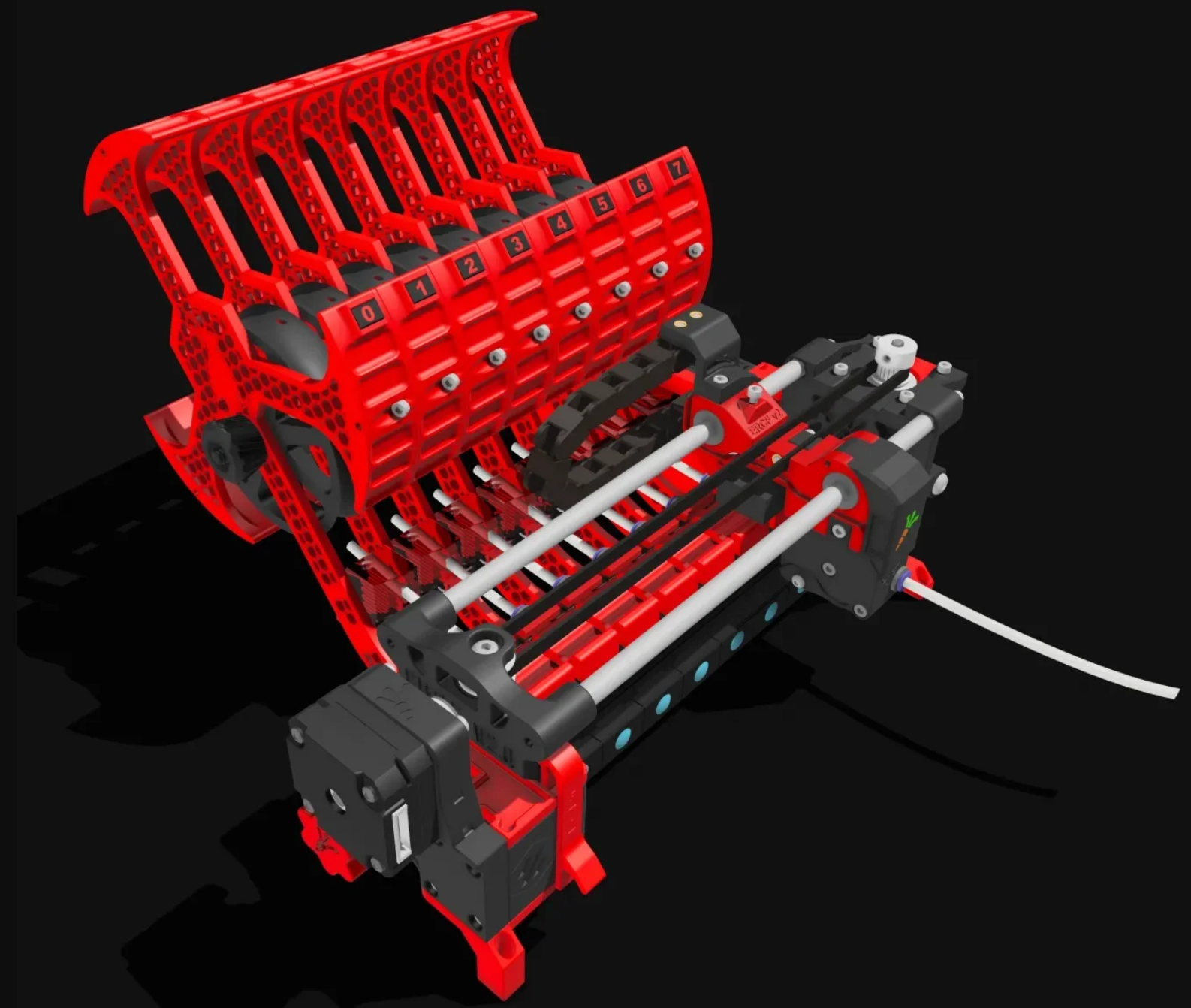
The Enraged Rabbit Carrot Feeder (ERCF) 2.0 Multi-Material Kit is another powerful tool for multi-material 3D printing. This kit is especially great for people using Voron printers with Klipper firmware. The ERCF 2.0 makes it easy to switch between different filaments during printing, allowing you to create complex, multi-colored prints without having to change filaments manually.
source: jb3d.uk
One of the best things about the ERCF 2.0 is that it works with a wide range of 3D printers, especially those using Klipper or RepRapFirmware (RRF). It fits perfectly with popular Voron models like the Switchwire, Trident, and 2.4 R2, but it can also be adapted for other printers that run compatible firmware.
The system manages multiple filament spools and automatically feeds the right one to the extruder when needed, making it possible to print intricate designs that would be tough to achieve with just one filament.
Another highlight of the ERCF 2.0 is its modular design (up to 12 channels). You can customize the system to fit your specific needs, whether you’re working with just a few filaments or several.
The kit comes with an upgraded ERB (Enraged Rabbit Board) module, based on the RP2040 microcontroller, which helps keep everything running smoothly, even during complex prints.
The system is also designed to operate quietly and efficiently, thanks to high-quality parts like chrome-plated shafts and durable bearings.
Pros:
- Supports printing with multiple filaments (up to 12), making it ideal for complex, multi-color, or multi-material projects.
- Automates filament switching, minimizing the need for manual adjustments and ensuring smoother transitions.
- Compatible with a wide range of 3D printers, especially those using Klipper or RepRapFirmware, and integrates seamlessly with popular Voron models.
- Built with high-quality components, including an upgraded RP2040-based ERB module, for smoother and more dependable performance.
- Operates quietly and efficiently, thanks to chrome-plated shafts and durable bearings, enhancing the overall printing experience.
- Modular design allows for easy customization, enabling users to scale the system according to their project needs.
- The feeder is compatible with most common types of filament, including PLA, ABS, ASA, PETG, and others.
Cons:
- Assembly can be complex and time-consuming, especially for users who are new to 3D printing or DIY projects.
- Requires regular maintenance to ensure smooth operation, including cleaning to prevent jams or misfeeds.
- Optimized for use with Voron printers and Klipper firmware, which may limit compatibility with other printer setups without additional adjustments.
Best For:
The ERCF 2.0 is ideal for experienced 3D printing enthusiasts who love DIY projects and need advanced multi-material printing capabilities. It’s particularly well-suited for users of Voron printers running Klipper firmware, offering a flexible and cost-effective solution for creating complex, multi-material prints.
4. Tradrack Multi-Color System
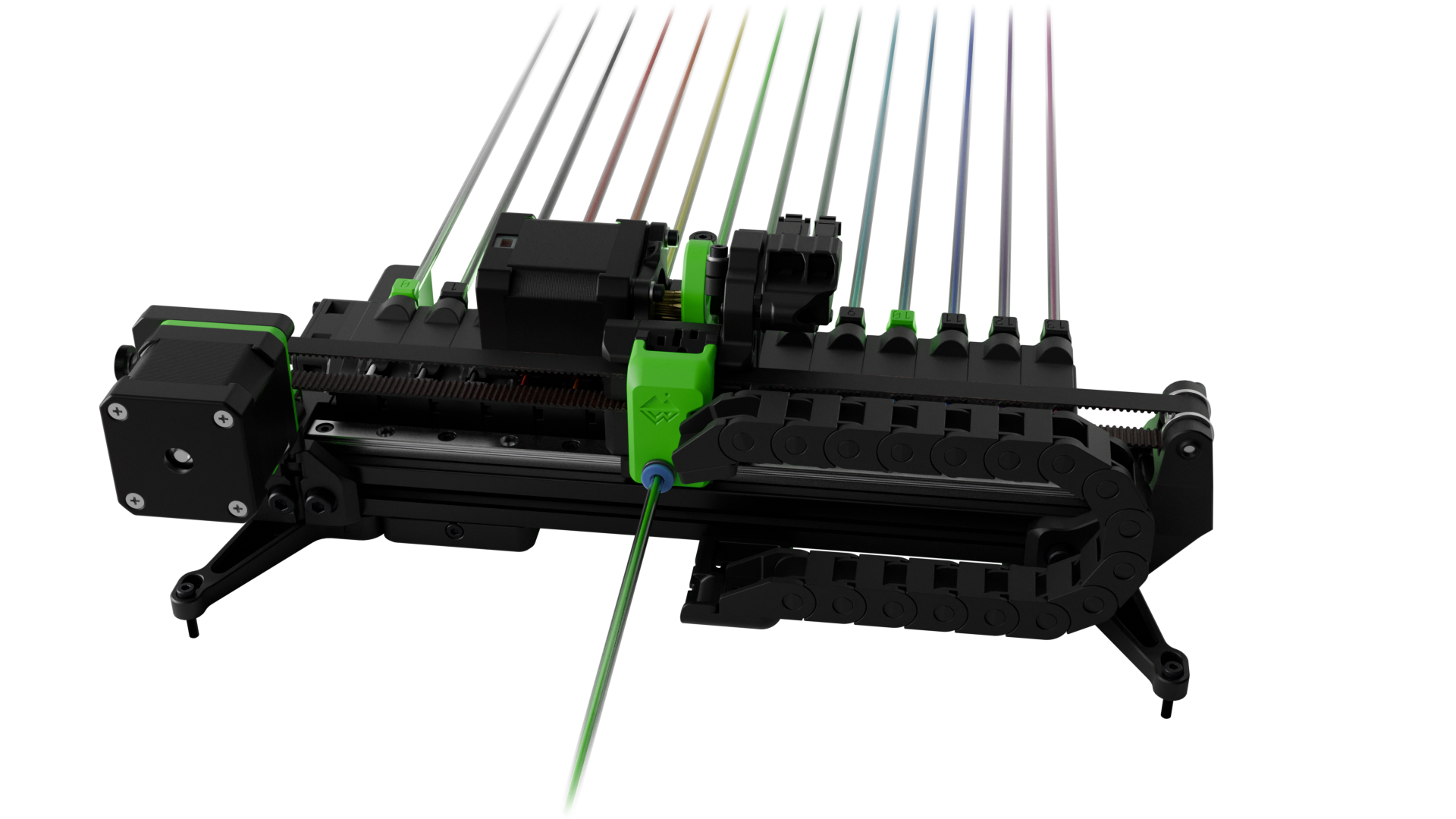
The Tradrack is a modular system designed for multi-color and multi-material 3D printing. While it’s not as widely known as systems like the ERCF or Prusa MMU, the Tradrack offers flexibility and scalability that can be adapted to various 3D printers and different printing needs.
source: Tradrack
The Tradrack is built around a modular design, allowing you to add or remove filament units as needed. This makes it easy to scale the system according to the complexity of your print job. It’s designed to be compatible with a variety of 3D printers, so you can integrate it into your setup without making major changes. The system also handles multiple filaments efficiently, reducing the risk of tangles and jams, which is particularly useful for complex multi-material prints.
Pros:
- Scalable modular design lets you start small and expand as needed.
- Compatible with a wide range of 3D printers, making it versatile for different setups.
- Cost-effective alternative to proprietary multi-material systems.
- Efficient filament handling reduces the risk of tangles and jams.
Cons:
- Limited documentation and community support compared to more established systems.
- Setup and maintenance may require more time, especially for those new to multi-material printing.
- Requires time investment to learn and use effectively.
Best For:
The Tradrack is ideal for users who need a scalable and flexible multi-color printing solution. It’s particularly suited for those who value customization and are willing to invest time in setup and maintenance.
5. 8-Track Multi-Color System
The 8-Track is an open-source multi-color system gaining attention in the 3D printing community, especially among Voron users. Designed to overcome some of the limitations found in existing systems like the Prusa MMU and ERCF, the 8-Track offers a modular and scalable solution that can be adapted to nearly any Klipper 3D printer.
The 8-Track system is modular, allowing you to add as many cassettes as needed. This means you can customize it based on the complexity of your print job, whether you're managing a few filaments or many. A key feature of the 8-Track is its servo-driven extruders, which grip the filament more effectively, reducing friction and improving the reliability of the filament feed. Additionally, the system includes optional features like an active drying heating element for each cassette, addressing moisture-related filament issues.
Pros:
- Highly flexible modular design, allowing for extensive scalability based on your needs.
- Servo-driven extruders improve filament handling, reducing the risk of jams and improving print quality.
- Open-source, making it accessible and customizable for a wide range of users.
- Optional features like active drying for cassettes help combat moisture-related issues.
- Compatible with many printers including the open-source Voron printers.
Cons:
- Currently in alpha release, with designs now available for early adopters. However, users may still encounter development changes and should expect updates before the final release.
- As a new system, it may have limited community support and documentation initially.
- Early adopters may need to rely on their troubleshooting skills or wait for the community to grow.
Best For:
The 8-Track is ideal for users looking for a customizable and scalable multi-color printing solution. It’s especially suited for those who are comfortable with being early adopters and contributing to the system's development. It can be adapted to almost any 3D printer but it is more popular with the open-source Voron printers.
Frequently Asked Questions (FAQs)
-
What is multi-color 3D printing?
Answer: Multi-color 3D printing refers to the ability to print with multiple colors or materials within a single print job. This allows for the creation of detailed, colorful, and functional models without needing to paint or assemble them afterward.
-
Why is multi-material printing important?
Answer: Multi-material printing allows you to combine different materials with unique properties in a single print. For example, you can print a part that is both strong and flexible or use dissolvable support materials that leave you with a clean, detailed object after printing.
-
What are the main methods for achieving multi-color or multi-material 3D printing?
Answer: There are three primary methods: Filament Swapping, Dual Extrusion and Tool Changers, and Automated Material Switching Systems. Each method has its own strengths and is suitable for different kinds of projects.
-
How does filament swapping work?
Answer: Filament swapping involves pausing the printer at certain points in the print and manually changing the filament to a different color or material. This method is simple and cost-effective but can be time-consuming and limited to changing materials between layers.
-
What are dual extrusion and tool changers?
Answer: Dual extrusion involves a 3D printer with two extruders, each loaded with its own filament, allowing for different materials or colors to be used within the same layer. Tool changers expand on this by allowing the printer to swap between multiple tools, enabling more complex multi-material prints.
-
What is an Automated Material Switching System?
Answer: Automated Material Switching Systems, like the Bambu Lab AMS or Prusa MMU, automatically switch between different filaments during a print without manual intervention. This system is ideal for creating complex, multi-color prints smoothly and efficiently.
-
Which multi-material system is best for Bambu Lab printers?
Answer: The Bambu Lab AMS (Automatic Material System) and AMS-Lite are designed specifically for Bambu Lab printers, offering seamless integration, high reliability, and user-friendly operation.
-
Can the Bambu Lab AMS handle different types of filaments?
Answer: Yes, the Bambu Lab AMS can manage various filaments including PLA, PETG, ABS, and others. However, it’s important to use filaments with similar printing temperatures to avoid issues like clogs or printer damage.
-
What is the Prusa Multi-Material Upgrade (MMU)?
Answer: The Prusa MMU is an add-on for Prusa 3D printers that allows users to print with up to five different filaments in one go, making it easier to create complex, multi-material designs.
-
Is the Enraged Rabbit Carrot Feeder (ERCF) compatible with non-Voron printers?
Answer: While the ERCF is optimized for Voron printers running Klipper firmware, it can be adapted for use with other printers that support compatible firmware, like RepRapFirmware.
-
What makes the 8-Track Multi-Color System unique?
Answer: The 8-Track is an open-source, modular system that offers extensive scalability and flexibility. It’s especially popular among Voron users and allows for the addition of as many cassettes as needed for complex multi-color printing.
-
Which system is best for beginners in multi-material printing?
Answer: For beginners, the Bambu Lab AMS-Lite is a great option as it is more budget-friendly, easy to use, and designed for smaller, less complex projects. It’s compatible with Bambu Lab’s A1 series printers.
Final Thoughts on Multi-Color 3D Printing Solutions
The world of multi-color 3D printing is vast and varied, offering a range of solutions to suit different needs, budgets, and levels of experience. Whether you are a hobbyist looking to explore new creative possibilities or a professional seeking to enhance your manufacturing capabilities, there is a multi-color 3D printing system that can help you achieve your goals.
- For users of Bambu Lab printers, the AMS and AMS-Lite offer seamless integration, high reliability, and user-friendly operation. These systems are ideal for those who prioritize ease of use and are willing to invest in a proprietary ecosystem.
- Prusa users will find the MMU3 to be a powerful upgrade that enhances their printer's capabilities, offering improved reliability and ease of use.
- Voron enthusiasts and Klipper users may prefer the ERCF V2.0 or the 8-Track system for their flexibility, scalability, and open-source advantages. These systems offer a high degree of customization and are well-suited for users who enjoy tinkering and optimizing their setups.
- The Tradrack provides a more flexible and modular solution for users with diverse 3D printing setups. Its compatibility with various printers and its scalable design makes it a strong contender for those looking to expand their multi-material printing capabilities.
No matter which system you choose, multi-color 3D printing opens up new possibilities for creativity, functionality, and innovation. By understanding the strengths and limitations of each solution, you can make an informed decision that best meets your needs and helps you achieve your 3D printing goals. As the technology continues to evolve, we can expect even more exciting developments in the world of multi-color 3D printing, offering users more options and greater capabilities than ever before.
Happy printing!