Przejdź do głównej zawartości

Next-Gen AI Failure Detection Is Here: General Release

· 4 min aby przeczytać

Back in 2020, we launched The Spaghetti Detective — the first AI-powered failure detection for 3D printing. Since then, our AI has watched over 80 million hours of printing and caught more than 800,000 real failures across the Obico community.

A few months ago, we invited beta testers to try a completely rebuilt detection engine. Hundreds of you signed up, ran prints, and gave us invaluable feedback. The verdict was clear: the new model is a significant leap forward.

Starting May 1, 2026, the next-gen AI model is available to all Pro subscribers.

How Obico AI Failure Detection Works

· 12 min aby przeczytać
TL;DR — How Obico AI detection works

Obico's AI analyzes webcam frames during printing to detect failures like spaghetti, print detachment, layer shifts, and nozzle blobs. It's trained on hundreds of thousands of images and has caught over 800,000 real failures across our community. It's not perfect — false positives happen, especially in difficult lighting or with unusual print geometries. We're honest about that, and we've built sensitivity controls and a 2nd-generation model to address the most common issues.

I built Obico (originally The Spaghetti Detective) because I had a print fail overnight and wanted a way to catch that kind of thing automatically. What started as a personal project has grown into a platform with over 800,000 detected failures across our user community.

In that time, we've learned a lot about what AI-based failure detection can and can't do — and we want to share that honestly.

Is Obico Free? Pricing, Plans, and What You Actually Get

· 10 min aby przeczytać
TL;DR — Yes, Obico is free

Obico has a permanent free plan that includes AI failure detection (10 hours/month), remote printer access, webcam streaming, and mobile app support for 1 printer. No credit card required. A Pro plan is available at $4/month (billed annually) for more AI hours, unlimited tunnel data, and multi-printer support. There's also a completely free self-hosted option with no limits at all.

One of the most persistent misconceptions we see about Obico is that it "requires a paid subscription." It doesn't. We've offered a free tier since day one, and we intend to keep it that way.

This guide breaks down exactly what you get at every pricing tier so you can decide what's right for your setup.

Obico Privacy & Data Security Explained

· 9 min aby przeczytać
TL;DR — What you need to know about Obico and privacy

Obico collects standard account data (email, usage) and processes webcam images to power AI failure detection. We use aggregated, anonymized data to improve the AI model — we do not sell your data to third parties. If you prefer zero data leaving your network, Obico is fully open-source and can be self-hosted on your own hardware.

When you connect a webcam to a cloud service, privacy is a legitimate concern. We want to be straightforward about exactly what Obico collects, why we collect it, and what choices you have.

This isn't a legal document — it's a plain-English explanation of how we handle your data.

3D Print Troubleshooting: The Ultimate Guide to Fix Every Common Problem [2026]

· 29 min aby przeczytać

Every 3D printing enthusiast — from first-time Ender 3 owners to seasoned Voron builders — runs into print quality problems. The difference between a frustrating hobby and a rewarding one is knowing how to diagnose and fix issues quickly.

This guide covers every common 3D printing defect with clear symptoms, root causes, and step-by-step fixes. Use the table of contents below to jump to your specific problem, or read through to build a complete troubleshooting toolkit.

3D print quality problems — warping, stringing, layer shifting and more

Pro Tip: Catch Problems Before They Waste Filament

Many of these issues — especially spaghetti, layer shifting, and detachment — can be caught mid-print by Obico's AI failure detection. It monitors your print via webcam and alerts you (or pauses the print) when it detects something going wrong. Free tier available.

Best 3D Printer Failure Detection Tools Compared [2026]

· 9 min aby przeczytać

Nobody wants to come back to their 3D printer and find a failed print — especially after hours of waiting. That's why 3D printer failure detection has become one of the most important features in modern 3D printing. But which tools actually work, and how do they compare?

In this guide, we'll compare every major 3D printer failure detection solution available in 2026 — from AI-powered cloud monitoring to built-in hardware sensors — so you can choose the best option for your setup.

Quick Comparison

ToolDetection MethodPrinter CompatibilityAuto-PausePriceOpen Source
ObicoAI camera visionOctoPrint, Klipper, Bambu LabFree tier + $4/mo Pro
Bambu Lab Built-inLidar + cameraBambu Lab onlyIncluded
OctoEverywhere GadgetAI camera visionOctoPrint, Klipper$2.50-5/mo
PrintWatchAI camera visionOctoPrintFree tier + paid
Spoolman + runout sensorHardware sensorAny (DIY)$5-15 hardware
Manual monitoringWebcam + human eyesAnyFreeN/A

How to Fix Spaghetti in 3D Printing: Complete Troubleshooting Guide [2026]

· 13 min aby przeczytać

If you've ever walked back to your 3D printer only to find a tangled mess of plastic instead of your model, you've experienced what the 3D printing community calls "spaghetti." It's one of the most common and frustrating 3D printing failures — your printer keeps extruding filament, but the plastic has nowhere to go, creating a bird's nest of wasted material.

The good news? Spaghetti is almost always preventable once you understand what causes it. In this guide, we'll cover every cause of spaghetti in 3D printing and give you step-by-step fixes for each one.

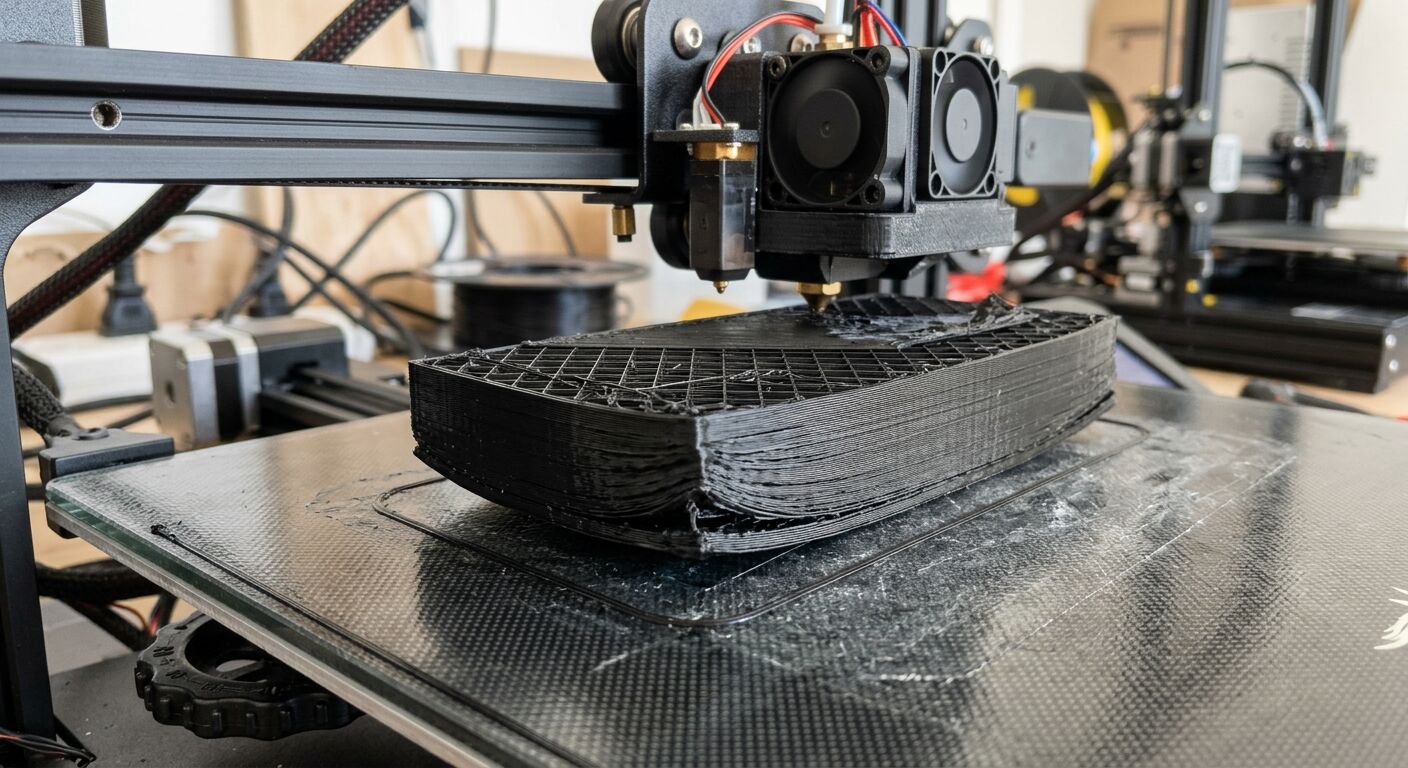
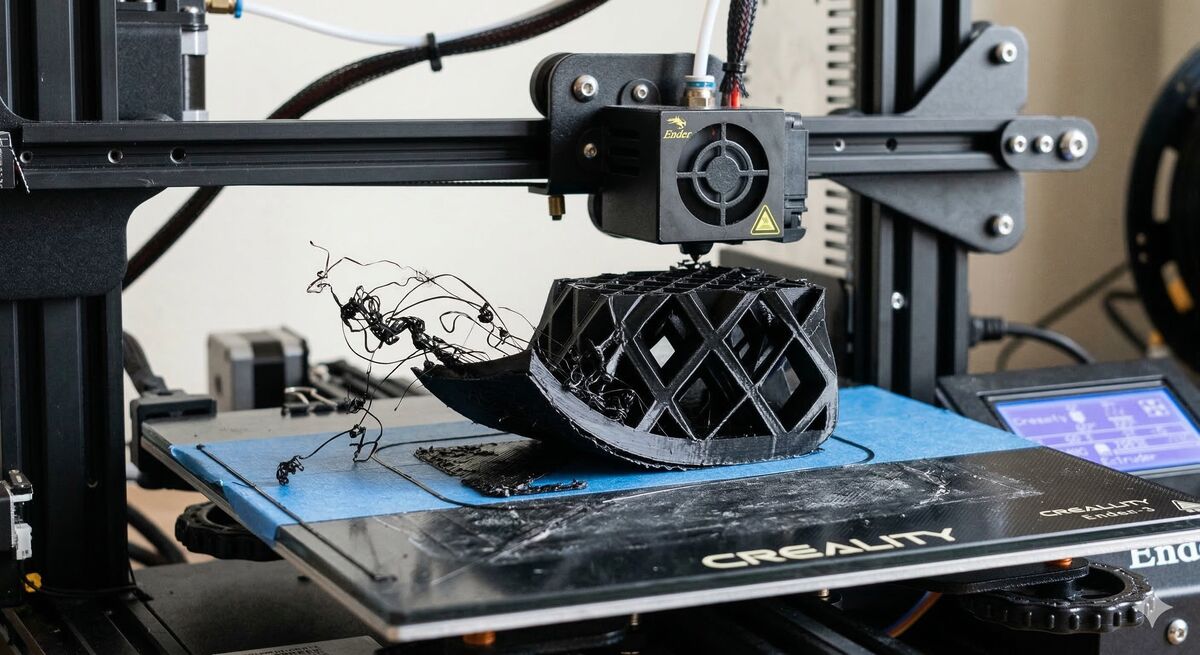
Spaghetti 3D printing failure — print detached from bed mid-print

Next-Gen AI Failure Detection: Join the Private Beta

· 3 min aby przeczytać

Back in 2020, we pioneered AI-powered failure detection for 3D printing. We called it The Spaghetti Detective. It was a little bit magic, a little bit sci-fi, and it saved a whole lot of print jobs from turning into plastic pasta.

Since then, we never stopped innovating. We launched Nozzle Ninja (our first-layer AI sentinel), and even introduced JusPrin to handle the slicing for you.

But today? Today is about going back to our roots and making them stronger.

We are officially reinventing our core failure detection with a next-generation AI model.

Zarządzanie profilami OrcaSlicer: kompletny przewodnik

· 23 min aby przeczytać

Wprowadzenie: Poruszanie się po ukrytej złożoności profili OrcaSlicer

Dla wielu entuzjastów druku 3D OrcaSlicer wyróżnia się jako potężne i wszechstronne narzędzie, oferujące szczegółową kontrolę nad ustawieniami drukowania i zaawansowane funkcje kalibracji. Jednak droga do uzyskania idealnych wydruków jest często utrudniona przez powszechne i głęboko frustrujące wyzwanie: zarządzanie profilami. To, co może wydawać się prostym zadaniem administracyjnym — organizowanie, tworzenie kopii zapasowych i migrowanie ustawień drukarki, filamentu i procesu — często staje się znaczącym źródłem marnowanego czasu, powtarzających się kalibracji i powszechnego poczucia niepewności co do integralności starannie skonfigurowanych ustawień. Dotyczy to w szczególności osób obsługujących wiele drukarek 3D lub eksperymentujących z szeroką gamą niestandardowych filamentów.

Tę wszechobecną trudność można przypisać temu, co można opisać jako „ukrytą złożoność” systemu zarządzania profilami OrcaSlicer. Podstawowa struktura plików i model dziedziczenia profili często nie są intuicyjne, co utrudnia zrozumienie, w jaki sposób ustawienia są przechowywane, łączone i wpływają na nie aktualizacje oprogramowania lub interakcje kont. Niniejszy podręcznik ma na celu zdemistyfikowanie tych zawiłości, zapewniając autorytatywny, krok po kroku przewodnik po opanowaniu profili OrcaSlicer. Od zrozumienia ich podstawowej architektury i wdrażania solidnych strategii organizacyjnych po tworzenie niestandardowych profili filamentów, wykonywanie niezawodnych kopii zapasowych i rozwiązywanie zagadkowego problemu znikających profili, ten przewodnik oferuje jasną mapę drogową, która pomoże Ci wzmocnić się i ulepszyć Twoją podróż w druku 3D.