Passa al contenuto principale

Next-Gen AI

Failure Detection Private Beta

AI Failure Detection Beta

16 post etichettati con "Print Quality"

Guarda tutte le etichette

Introduzione

La stampa 3D è una tecnologia straordinaria che trasforma i progetti in oggetti reali, ma individuare la velocità di stampa ottimale può essere complicato. Se si procede troppo velocemente, la qualità potrebbe essere compromessa; se si procede troppo lentamente, il processo potrebbe richiedere un'eternità.

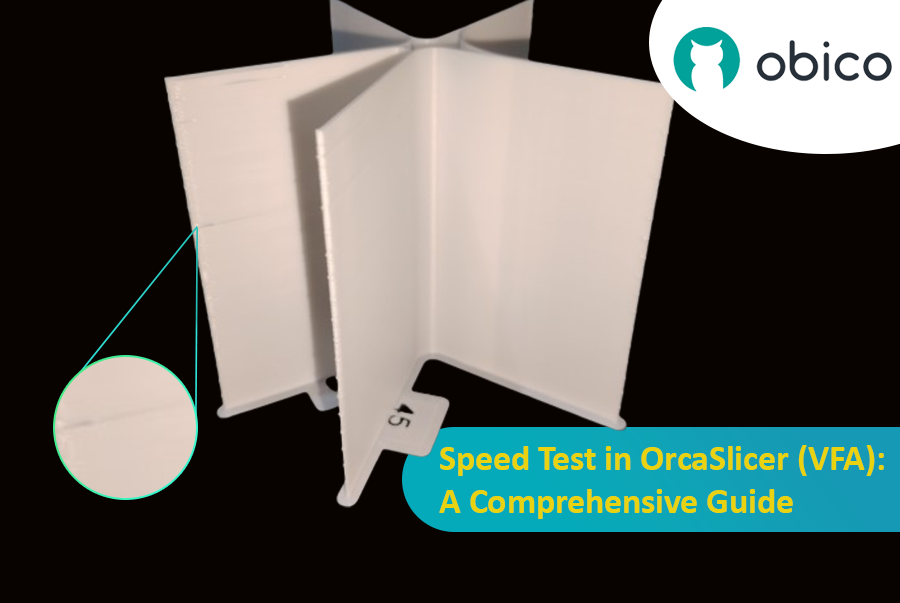
Test di velocità in OrcaSlicer (VFA): una guida completa

In questa guida ti mostreremo come usare OrcaSlicer per determinare la velocità di stampa perfetta per la tua stampante 3D. Al termine, saprai come ottenere stampe eccellenti in tempi rapidi, mantenendo una buona qualità.

Cominciamo!

Hello there! Welcome to our easy-to-understand guide on how to control the OrcaSlicer maximum volumetric speed test for 3D printing enthusiasts. If you’re looking forward to enhancing print quality and efficiency, then this is the best place for you. This tutorial will help you optimize your printer’s volumetric speed that determines at what speed you can print without compromising on quality.

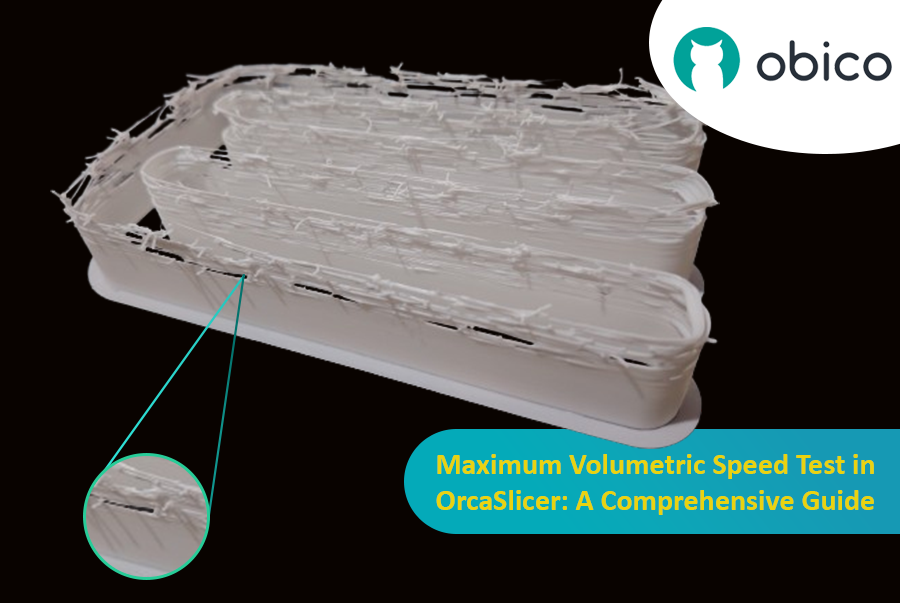
Maximum Volumetric Speed Test in OrcaSlicer: A Comprehensive Guide

Volumetric speed knowledge is crucial in 3D printing because it enables one understand how fast a printer can produce objects with accuracy. If this speed is tested and adjusted, under extrusion among other common problems while printing can be avoided thus ensuring that all your prints are good-looking even at higher speeds.

Introduzione

La stampa 3D è una tecnologia affascinante che permette di creare praticamente qualsiasi cosa si possa immaginare. Tuttavia, presenta anche alcune sfide e limitazioni, come la qualità dei pezzi stampati. Uno dei problemi più comuni che influiscono sull'aspetto e sulla funzionalità delle stampe 3D è la presenza di residui di materiale indesiderati, come fili, macchie e brufoli.

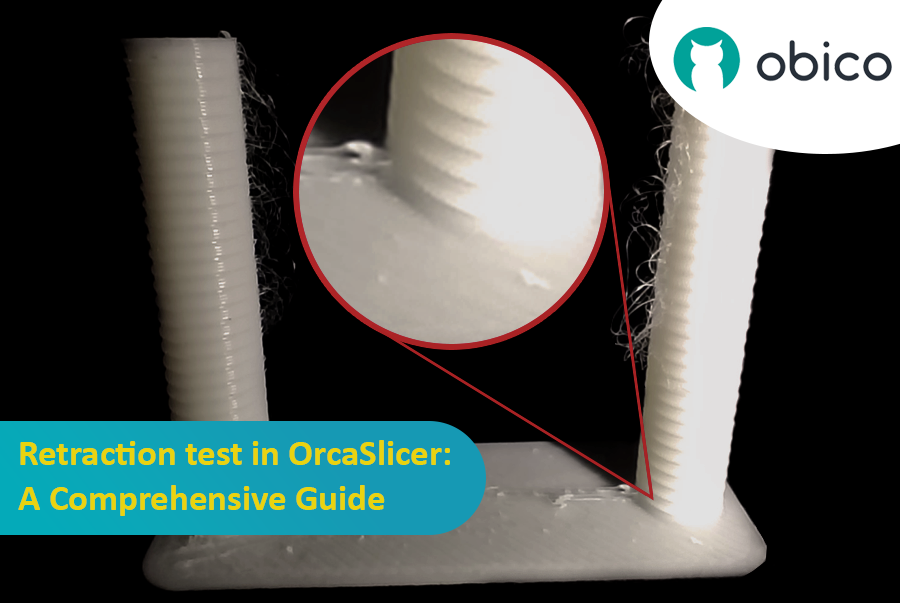
Test di retrazione in OrcaSlicer: una guida completa

Fortunatamente, esiste un modo per ridurre o eliminare questi artefatti utilizzando una funzionalità chiamata retrazione. Ma cosa significa retrazione?

Analizziamolo nel dettaglio:

Che cosa sono la retrazione e il test di retrazione?

Il test di retrazione è una procedura di calibrazione che mira a ridurre o eliminare i problemi di filamento e trasudamento che possono verificarsi durante la stampa 3D. Filamenti e trasudamenti sono causati dal materiale in eccesso che fuoriesce dall'ugello quando l'hotend si sposta da una parte all'altra del modello senza estrudere. Ciò si traduce in filamenti o grumi indesiderati sulla superficie o tra le parti del modello, compromettendo la qualità e l'aspetto della stampa.

Introduction

Hello and welcome to the world of 3D printing! It's a place full of potential, but like any new endeavor, it comes with its own set of challenges. Let's explore what you might face and how to tackle these hurdles effectively.

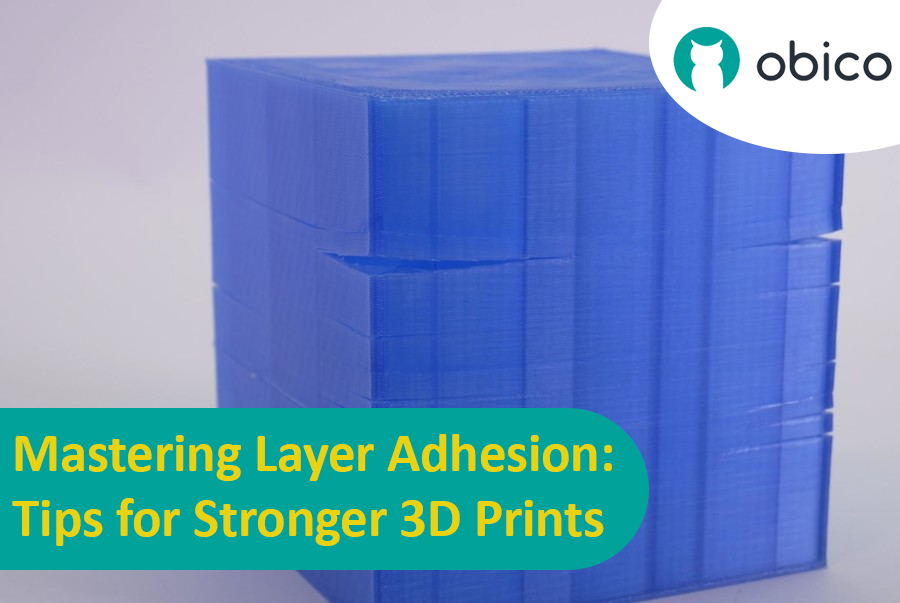
Mastering Layer Adhesion: Tips for Stronger 3D Prints

Overview of 3D Printing Challenges

Picture yourself setting up a 3D print. You've got your design ready, your printer prepped, and you're all set to go. But sometimes, things don't work out as smoothly as we'd like. From prints warping or not sticking correctly to issues with the final quality, 3D printing can be a bit unpredictable. However, understanding these challenges is the first step toward mastering the art of 3D printing.

Introduzione

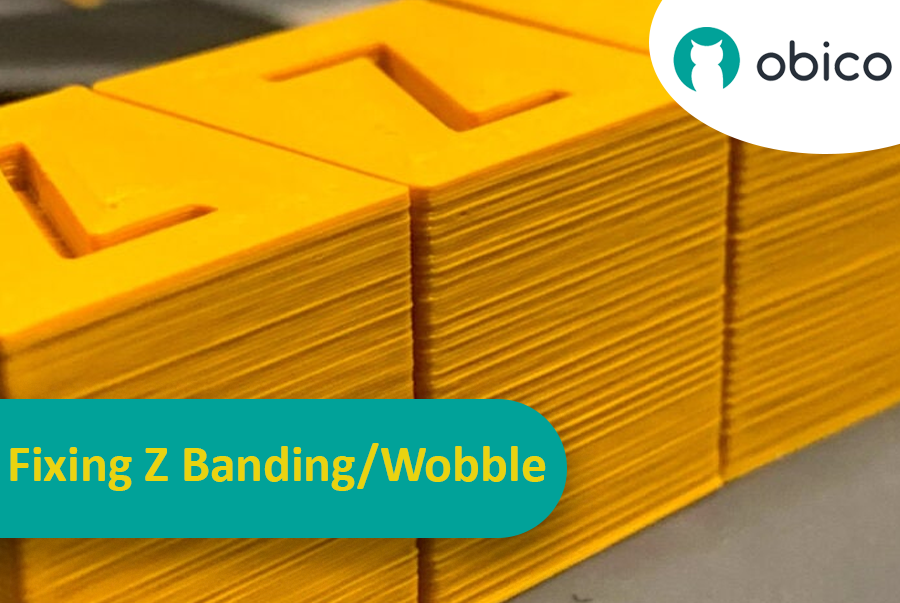
Immagina di aver passato ore ad aspettare che una stampa 3D fosse completata, solo per scoprire che presentava strisce o linee inaspettate e indesiderate. Questo problema, noto come "banding a Z", è un problema comune nella stampa 3D. È come quando si disegna una linea retta ma il righello continua a scivolare, lasciando una linea frastagliata invece di una liscia. Il fenomeno delle banding a Z può far apparire gli oggetti stampati in 3D a strisce anziché con una superficie liscia e uniforme.

Correggere le bande Z/oscillazioni: una guida completa

Ma perché dovremmo preoccuparci di risolvere questo problema? Beh, queste linee non sono solo un problema estetico. Possono rendere i tuoi oggetti stampati in 3D più deboli e meno funzionali. Immagina di costruire una torre con i blocchi: se i blocchi non sono allineati correttamente, la torre non sarà altrettanto resistente. Ecco perché è importante che chiunque utilizzi una stampante 3D, che sia un hobbista o un professionista, capisca come affrontare questo problema. Questa guida è qui per aiutarti a fare proprio questo, trasformando quelle fastidiose linee in un ricordo del passato e aiutandoti a ottenere i migliori risultati dai tuoi progetti di stampa 3D.

OctoPrint vs. Klipper: A Comparative Analysis

Introduction

The world of 3D printing is a fascinating one, filled with endless possibilities and innovations. As 3D printing technology advances, the role of software and firmware becomes increasingly vital in achieving the best results. In this comparative analysis, we will delve into the heart of 3D printing and explore the two key players in the software and firmware arena: OctoPrint and Klipper.

Unveiling the 3D Printing Universe

Navigating the realm of 3D printing technology In recent years, 3D printing has evolved from a niche hobby to a transformative technology with applications spanning various industries. Whether you're a hobbyist, a DIY enthusiast, or a professional, 3D printing opens doors to creating objects with unprecedented precision and customization.

The pivotal role of software and firmware Behind every successful 3D print lies a carefully orchestrated symphony of software and firmware. These digital components translate your designs into physical objects, making the choice of software and firmware critical to your 3D printing experience. They control the movement of the printer's motors, the heating of the extruder, and the deposition of material layer by layer.