Przejdź do głównej zawartości

Next-Gen AI

Failure Detection Private Beta

AI Failure Detection Beta

15 postów z tagiem "Print Quality"

Wyświetl wszystkie tagi

Hello there! Welcome to our easy-to-understand guide on how to control the OrcaSlicer maximum volumetric speed test for 3D printing enthusiasts. If you’re looking forward to enhancing print quality and efficiency, then this is the best place for you. This tutorial will help you optimize your printer’s volumetric speed that determines at what speed you can print without compromising on quality.
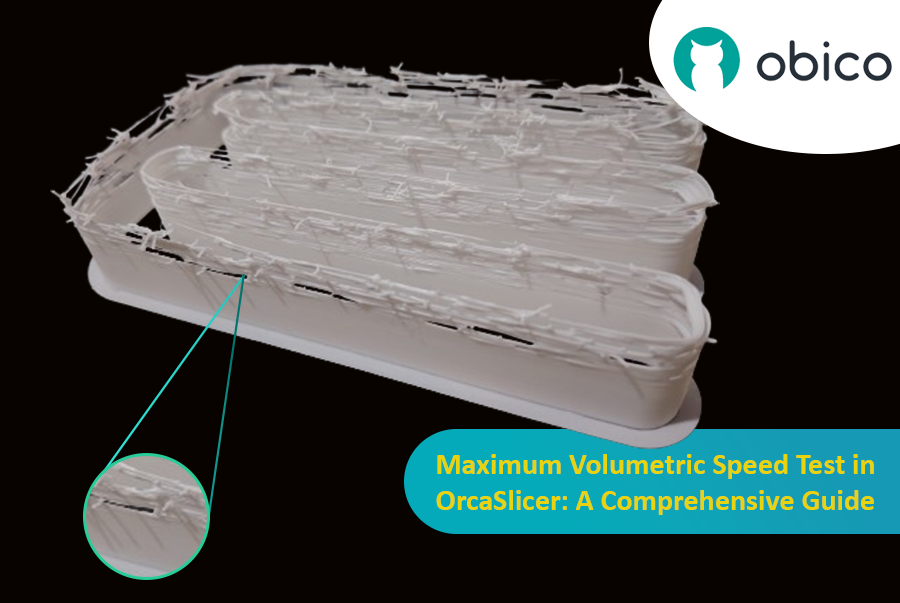
Maximum Volumetric Speed Test in OrcaSlicer: A Comprehensive Guide

Volumetric speed knowledge is crucial in 3D printing because it enables one understand how fast a printer can produce objects with accuracy. If this speed is tested and adjusted, under extrusion among other common problems while printing can be avoided thus ensuring that all your prints are good-looking even at higher speeds.
Wstęp

Druk 3D to fascynująca technologia, która pozwala stworzyć niemal wszystko, co sobie wyobrazisz. Wiąże się ona jednak z pewnymi wyzwaniami i ograniczeniami, takimi jak jakość drukowanych elementów. Jednym z najczęstszych problemów wpływających na wygląd i funkcjonalność wydruków 3D jest obecność niepożądanych pozostałości materiału, takich jak nitki, plamy i pryszcze.

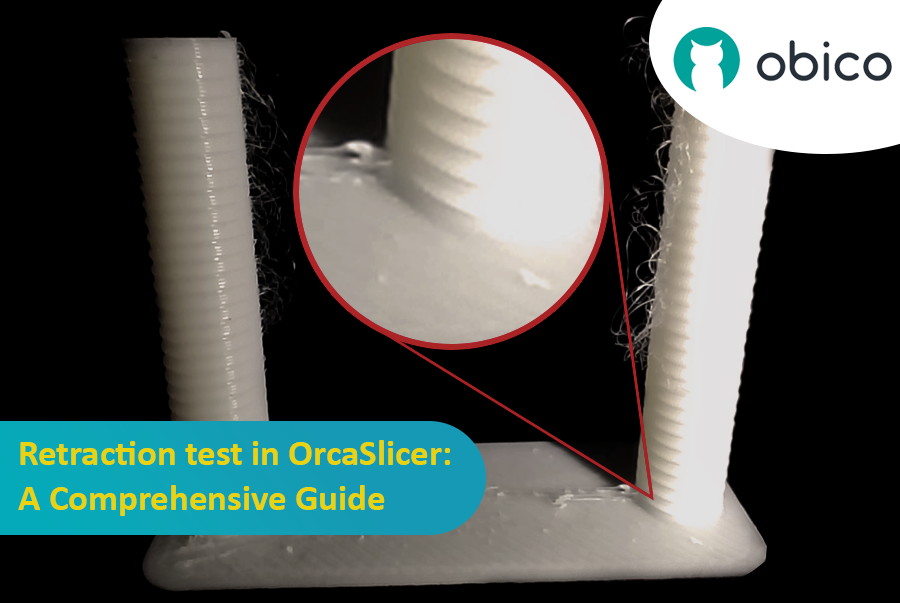
Test cofania w OrcaSlicer: kompleksowy przewodnik

Na szczęście istnieje sposób na zmniejszenie lub wyeliminowanie tych artefaktów za pomocą funkcji o nazwie wycofywanie. Ale co to znaczy?

Omówmy to szczegółowo:

Czym jest cofanie i test cofania?

Test cofania to procedura kalibracji, której celem jest ograniczenie lub wyeliminowanie problemów z nicieniem i wyciekaniem, które mogą wystąpić podczas drukowania 3D. Nicienie i wyciekanie są spowodowane nadmiarem materiału, który wycieka z dyszy, gdy głowica drukująca przesuwa się z jednej części modelu do drugiej bez wytłaczania. Powoduje to powstawanie niepożądanych pasm lub grudek filamentu na powierzchni lub między częściami modelu, co wpływa na jakość i wygląd wydruku.

Introduction

Hello and welcome to the world of 3D printing! It's a place full of potential, but like any new endeavor, it comes with its own set of challenges. Let's explore what you might face and how to tackle these hurdles effectively.

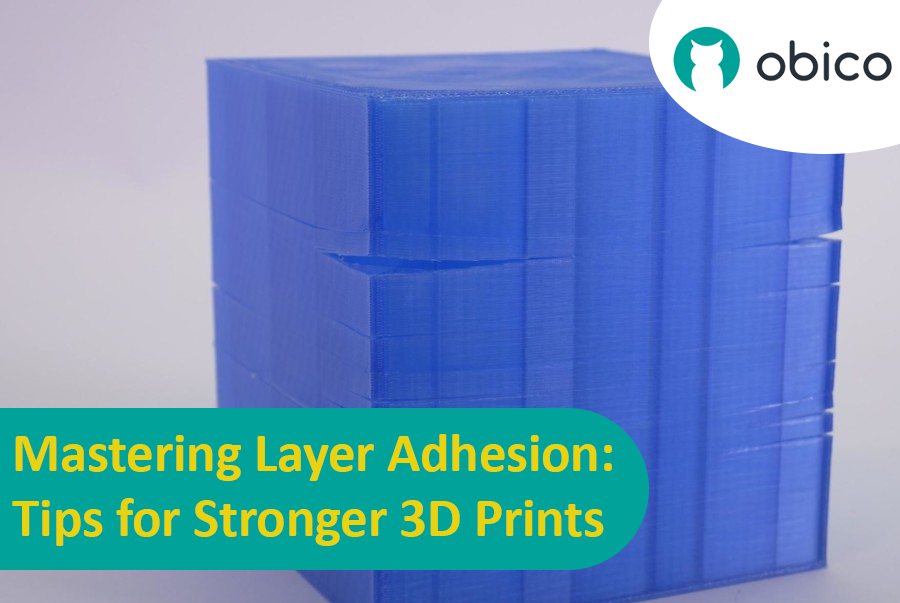
Mastering Layer Adhesion: Tips for Stronger 3D Prints

Overview of 3D Printing Challenges

Picture yourself setting up a 3D print. You've got your design ready, your printer prepped, and you're all set to go. But sometimes, things don't work out as smoothly as we'd like. From prints warping or not sticking correctly to issues with the final quality, 3D printing can be a bit unpredictable. However, understanding these challenges is the first step toward mastering the art of 3D printing.

Wstęp

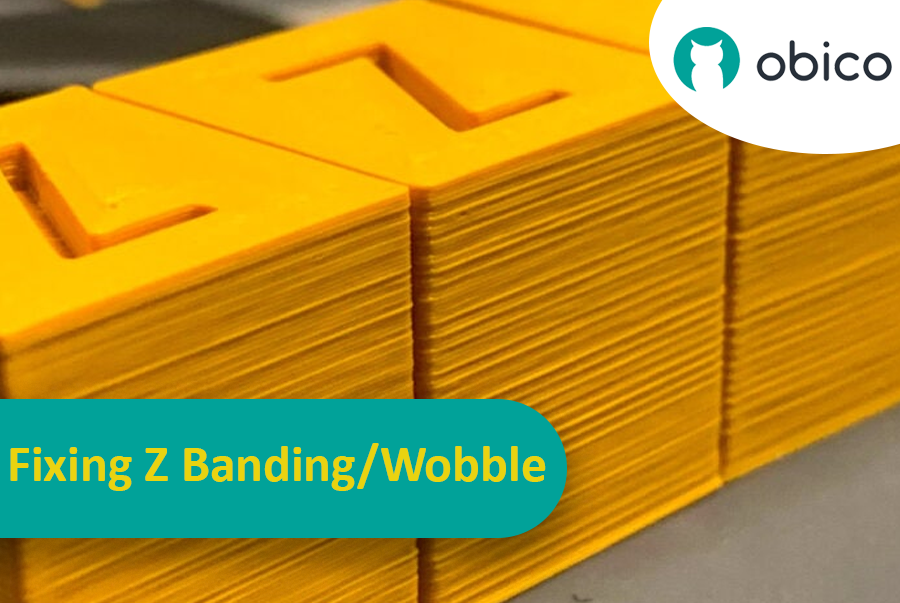
Wyobraź sobie, że spędziłeś godziny czekając na zakończenie wydruku 3D, a potem nagle okazuje się, że ma on nieoczekiwane i niechciane paski lub linie. Ten problem, znany jako Z-banding, jest częstym problemem w druku 3D. To tak, jakby rysować prostą linię, ale linijka ciągle się przesuwała, pozostawiając poszarpaną linię zamiast gładkiej. Z-banding może sprawić, że wydrukowane obiekty 3D będą wyglądać jak paski zamiast mieć gładką, równą powierzchnię.

Naprawa pasów Z/drgania: kompleksowy przewodnik

Ale dlaczego powinniśmy się tym przejmować? Cóż, te linie to nie tylko problem estetyczny. Mogą osłabić i obniżyć funkcjonalność wydrukowanych w 3D elementów. Wyobraź to sobie jako budowanie wieży z klocków: jeśli klocki nie zostaną odpowiednio ułożone, wieża nie będzie tak wytrzymała. Dlatego tak ważne jest, aby każdy, kto korzysta z drukarki 3D, niezależnie od tego, czy jest hobbystą, czy profesjonalistą, wiedział, jak sobie z tym poradzić. Ten poradnik pomoże Ci to osiągnąć, zmieniając frustrujące linie w przeszłość i pomagając Ci uzyskać najlepsze rezultaty z projektów drukowania 3D.

OctoPrint vs. Klipper: A Comparative Analysis

Introduction

The world of 3D printing is a fascinating one, filled with endless possibilities and innovations. As 3D printing technology advances, the role of software and firmware becomes increasingly vital in achieving the best results. In this comparative analysis, we will delve into the heart of 3D printing and explore the two key players in the software and firmware arena: OctoPrint and Klipper.

Unveiling the 3D Printing Universe

Navigating the realm of 3D printing technology In recent years, 3D printing has evolved from a niche hobby to a transformative technology with applications spanning various industries. Whether you're a hobbyist, a DIY enthusiast, or a professional, 3D printing opens doors to creating objects with unprecedented precision and customization.

The pivotal role of software and firmware Behind every successful 3D print lies a carefully orchestrated symphony of software and firmware. These digital components translate your designs into physical objects, making the choice of software and firmware critical to your 3D printing experience. They control the movement of the printer's motors, the heating of the extruder, and the deposition of material layer by layer.