How to check if you have a Free or AI Premium account
- Open OctoPrint settings page by clicking the wrench icon (🔧).
- Scroll down the navigation bar on the left side.
- Click "Obico for OctoPrint" tab.
- Click the "Troubleshooting" button.
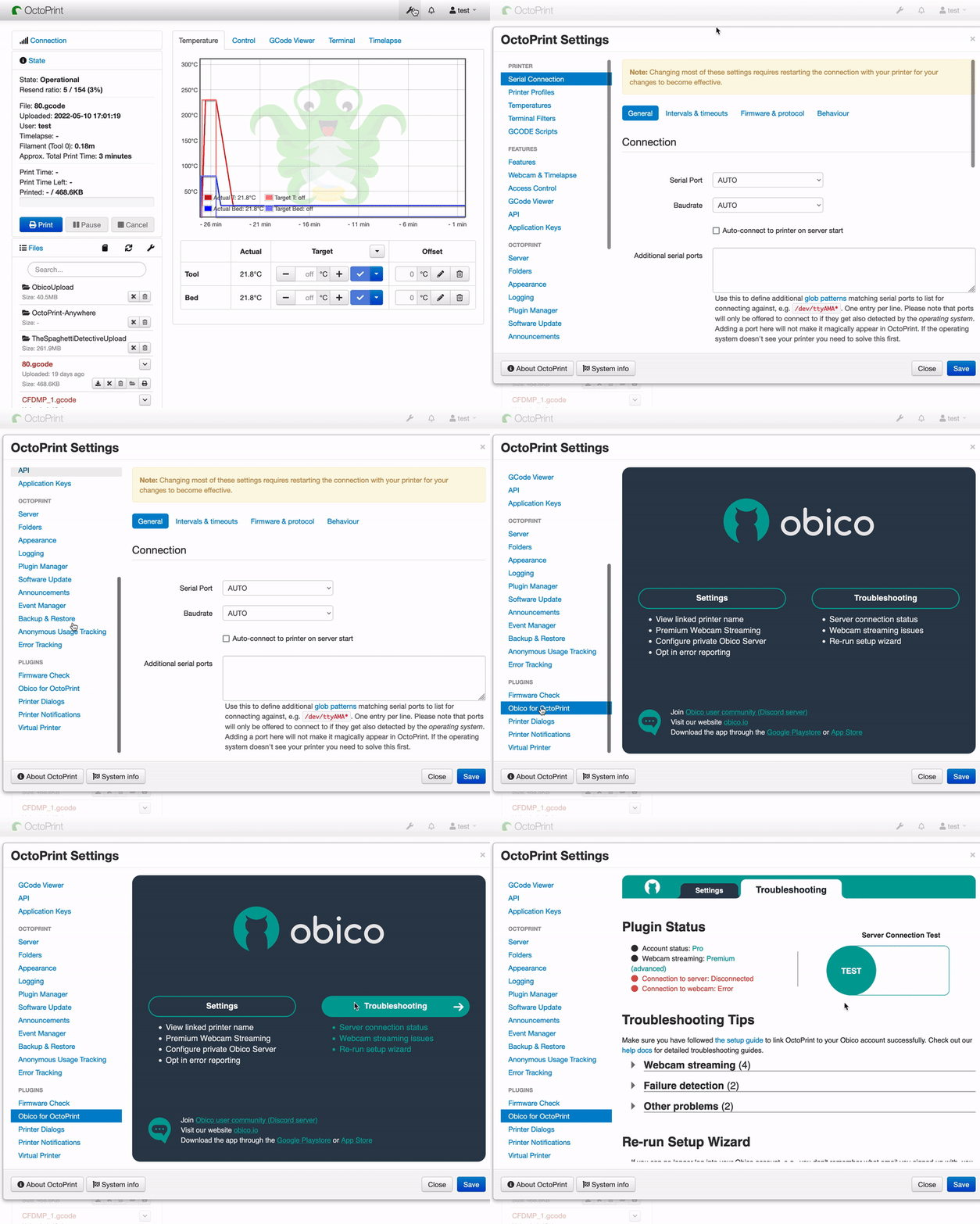
- Check the "Account status" row in the "Plugin Status" column.
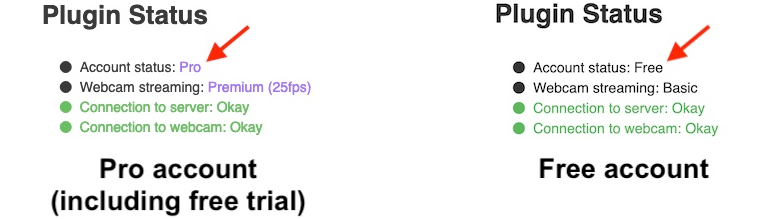
- Pro means either you have subscribed to the AI Premium plan (thank you!), or you are still in the free trial period, which is the first month after you sign up for an Obico Cloud account.
- Free means your free trial period has expired and you haven't upgraded to the AI Premium plan afterward.
remarque
The plugin currently labels the AI Premium plan as "Pro" in the Account status row. The label will be updated to "AI Premium" in a future plugin release. Either way, "Pro" and "AI Premium" refer to the same plan.
Learn more about the difference between Free and AI Premium.