Pular para o conteúdo principal

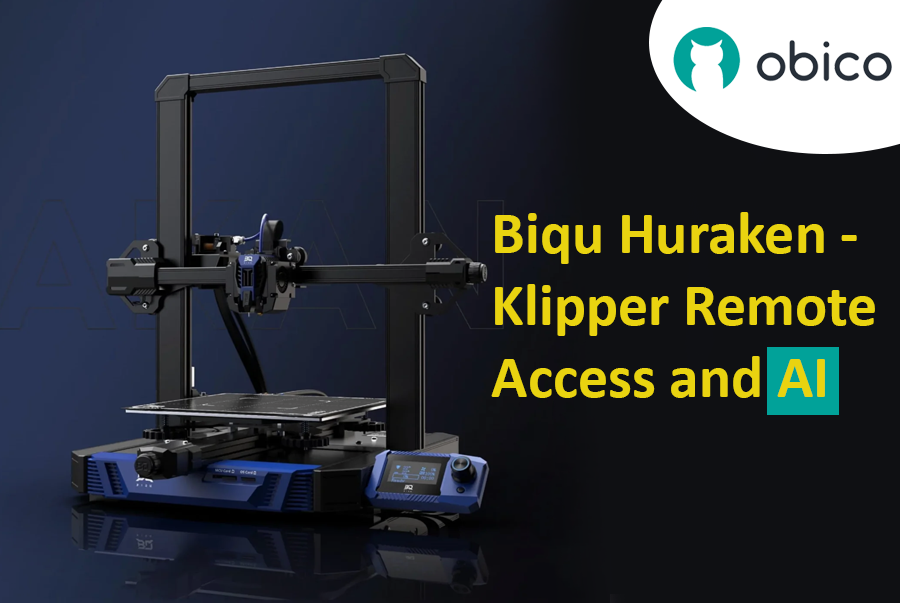
Biqu Huraken - Klipper Remote Access and AI

· Leitura de 11 minutos

Introduction

The world of 3D printing has evolved, and the Biqu Huraken stands at the forefront of innovation. In this guide, we will explore the Biqu Huraken 3D printer and its cutting-edge capabilities. Notably, we'll delve into the exciting possibilities of enabling remote access and AI monitoring through the integration of Obico.

Biqu Huraken - Klipper Remote Access and AI

Introduction to Biqu Huraken

The Biqu Huraken is not your ordinary 3D printer. It's a state-of-the-art machine that pushes the boundaries of what's possible in the realm of 3D printing. With its exceptional features and advanced technology, it's a must-have for both enthusiasts and professionals.

OrcaSlicer: Análise aprofundada dos recursos de calibração de impressoras 3D

· Leitura de 16 minutos

dica

Experimente JusPrin, a primeira ferramenta de impressão 3D GenAI construída sobre OrcaSlicer.

Guia atualizado disponível

📢 Publicamos um guia de calibração abrangente e passo a passo!

Este artigo fornece uma boa visão geral dos recursos de calibração do OrcaSlicer, mas para as instruções de calibração mais detalhadas e atualizadas, confira nosso Mastering Your Prints: The Comprehensive OrcaSlicer Calibration Guide que inclui procedimentos detalhados, dicas de solução de problemas e melhores práticas para todos os testes de calibração.

Se você tem impresso em 3D há algum tempo, provavelmente já ouviu falar sobre a importância de calibrar sua impressora. A calibração da impressão melhora a qualidade da impressão, fornece resultados consistentes e também aumenta sua produtividade geral.

Na internet, você encontrará diversos recursos que ajudam a calibrar suas impressões 3D. Michael, da Teaching Tech, tem uma biblioteca completa de ferramentas para ajustar suas impressões 3D. O Thingiverse e o Printables também oferecem uma variedade de impressões de calibração.

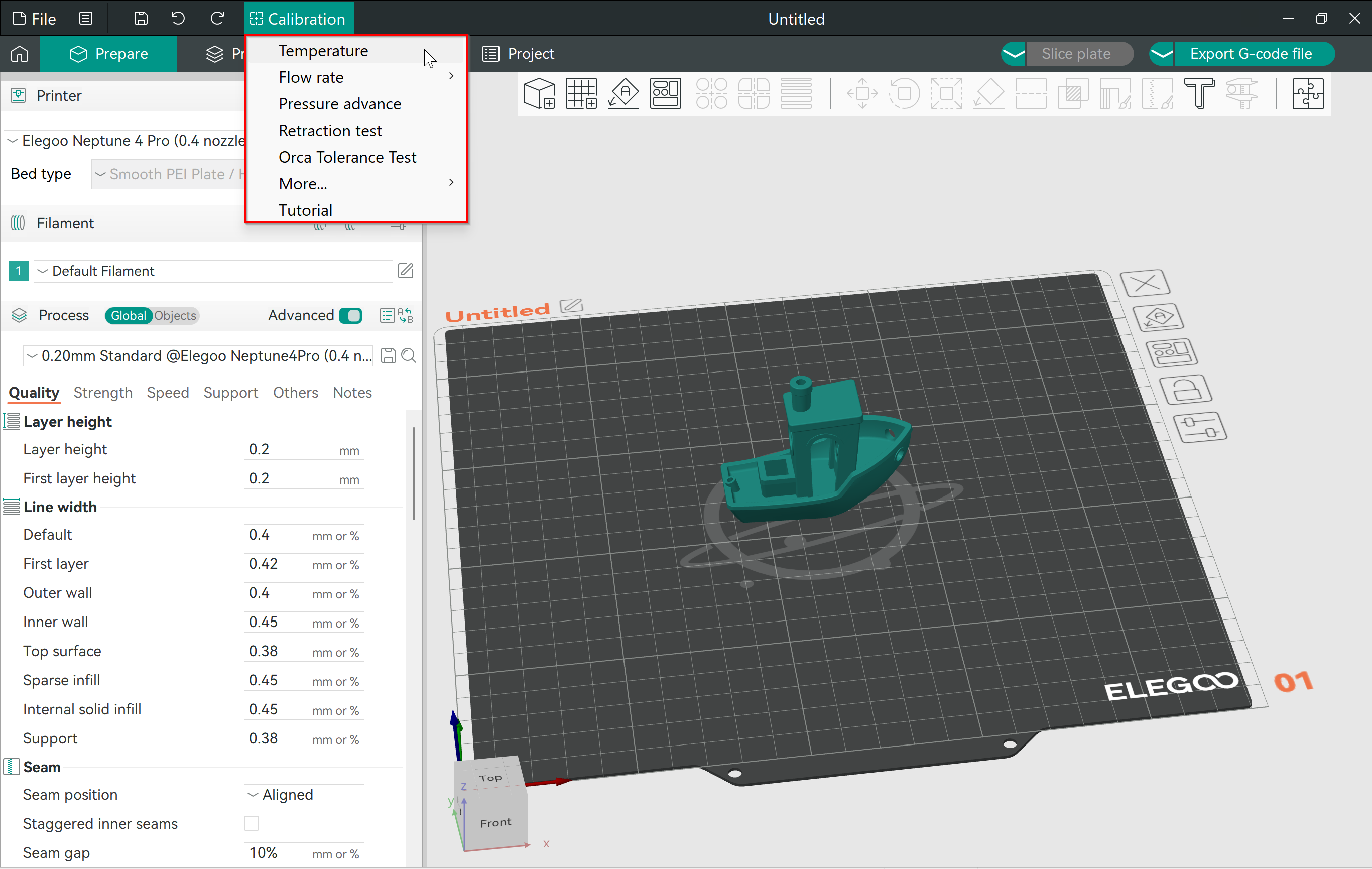
No entanto, o OrcaSlicer reúne todas essas ferramentas em um só lugar. Ele oferece uma maneira fácil de acessar e usar essas impressões de calibração sem precisar baixar nada. As configurações do fatiador já estão definidas, e tudo o que você precisa fazer é clicar em Imprimir!

Neste artigo, vamos nos aprofundar no menu de calibração do OrcaSlicer. Analisaremos as diversas opções disponíveis e como você pode usar suas impressões de calibração para refinar seus resultados de impressão 3D.

Vamos calibrar e criar!

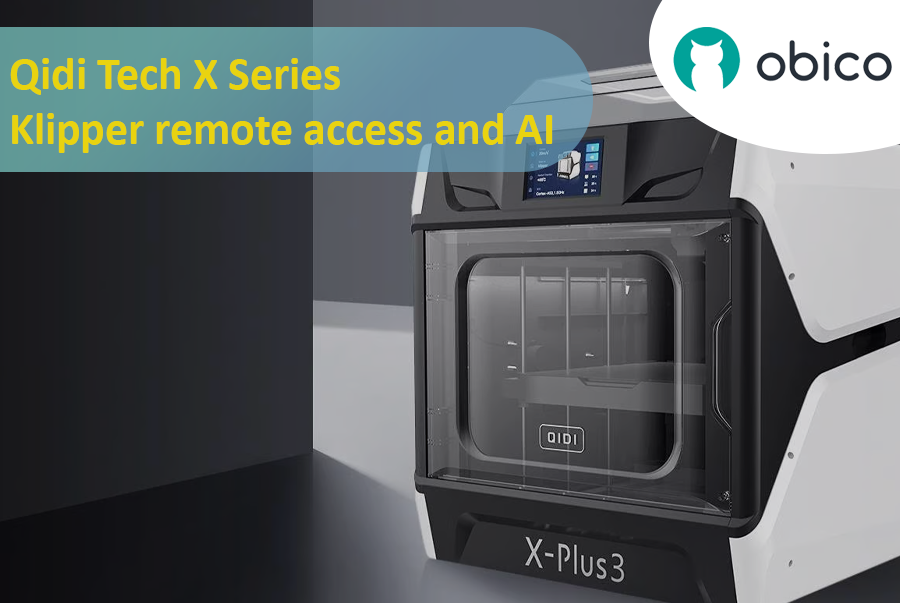
Qidi Tech X Series - Klipper remote access and AI

· Leitura de 15 minutos

Introduction

Qidi Tech X Series - Klipper remote access and AI

A Deep Dive into Qidi Tech X Series

The 3D printing world has seen a surge in innovative technologies, giving users more control, flexibility, and efficiency than ever before. A significant breakthrough in this domain is the Qidi Tech X Series. Renowned for their cutting-edge features, these 3D printers are optimized for both beginners and seasoned enthusiasts. As users continually seek ways to enhance their printing experiences, integrating remote access and AI functionalities has become increasingly crucial.

All models in the Qidi Tech X Series come integrated with the Klipper firmware. This means that users can now unlock a plethora of remote access and AI functionalities using Obico. By linking your 3D printer with Obico, you can monitor your prints in real-time from any location and leverage AI-driven insights to optimize your print quality. The upcoming sections in this article will provide a detailed, step-by-step guide to achieve this seamless integration.

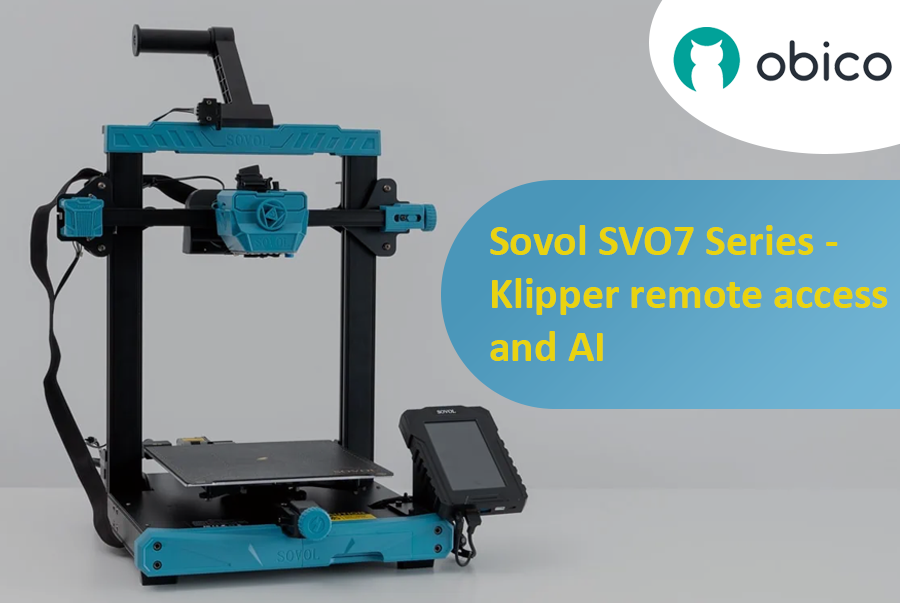
Sovol SV07 Series - Klipper Remote Access and AI

· Leitura de 12 minutos

Introduction

Welcome to the world of Sovol 3D printing and the exciting Sovol SV07 Series. In this comprehensive guide, we will introduce you to the Sovol SV07 Series, take you on a journey to meet the Sovol SV07, and explore the remarkable Sovol SV07 Plus. But that's not all; we'll also delve into the incredible power of remote access and AI monitoring features using Obico and how to link your printer with it.

Sovol SV07 Series - Klipper remote access and AI

Introducing the Sovol SV07 Series

The Sovol SV07 Series represents the pinnacle of 3D printing technology. These printers are designed to cater to the needs of both beginners and experts in the world of 3D printing. With their advanced features and innovative capabilities, Sovol SV07 Series printers offer an exceptional 3D printing experience.

Elegoo Neptune 4 Series - Klipper Remote Access

· Leitura de 16 minutos

Elegoo Neptune 4 Series

The Rise of Elegoo in the FDM World

Elegoo, a name previously synonymous with high-quality resin printers, has embarked on a new journey in the realm of FDM printing with its Neptune 4 series. The world of Fused Deposition Modeling (FDM) printing has been evolving rapidly, and it’s not just the technology giants who are leading this transformation. Niche manufacturers like Elegoo have stepped into the arena, bringing innovative solutions and captivating designs. With the Neptune 4 series, Elegoo has successfully established a foothold, striking a balance between cost-efficiency, performance, and user-friendliness. It's no wonder that enthusiasts and professionals alike are keeping a close eye on Elegoo's latest offerings.

Overview of Klipper's Integration with 3D Printers

Klipper, an open-source firmware solution, has revolutionized the way 3D printers operate. Rather than relying solely on the limited computational power of a printer's onboard microcontroller, Klipper collaborates with more powerful devices like Raspberry Pi to manage printer operations. The result? Enhanced performance, speed, and precision. The union of Klipper with Elegoo's Neptune 4 series is a testament to the future of 3D printing, offering users an enhanced printing experience. By leveraging the prowess of Klipper, users can enjoy faster print speeds without compromising on accuracy. Moreover, with the advent of remote access solutions like Obico, the possibilities of what one can achieve with Klipper and the Neptune 4 series are truly boundless. Stay tuned as we delve deeper into the intricacies of remote access and explore the full potential of the Elegoo Neptune 4 series powered by Klipper and Obico.

Cool things to 3D Print in 2024

· Leitura de 10 minutos

If you're here, you're likely to own a 3D printer or at least have one at your disposal and you're on the hunt for the coolest things to 3D print in 2024. Well, you've come to the right place!

Just a disclaimer that ‘cool’ is a very subjective term and while there can be many things that can be cool, we have created a list of gadgets and everyday tools that can simplify your life, to machines that inspire you and props that you would like to show off to your friends. We have listed a collection of a varied array of things to 3D print.

Whether you're a seasoned 3D printing pro or just starting out, prepare to be inspired by the fantastic projects and ideas that await you.

Creality Sonic Pad Remote Access

· Leitura de 13 minutos

Creality Sonic Pad Meets Obico - Klipper Remote Access and AI Failure Detection

The Creality Sonic Pad and Obico converge to create a dynamic duo in the realm of 3D printing, each bringing unique capabilities to the table. While the Sonic Pad is recognized for its streamlined and user-friendly interface, it has been noted for having certain limitations, particularly in the realm of remote management features. On the other hand, Obico emerges as a pioneering technology, notably recognized for its AI-driven capabilities in 3D printing management, offering users the ability to remotely operate and monitor their 3D printing tasks. The intersection of these two technologies could potentially unlock new possibilities, combining the user-friendly interface of Sonic Pad with the advanced remote management and monitoring capabilities of Obico.

The Significance of Remote Management in 3D Printing

Remote management in 3D printing is pivotal in enhancing the user experience and optimizing the printing process. It allows users to monitor, control, and adjust their 3D printing tasks from anywhere, providing flexibility and ensuring that the printing process is not hindered by physical presence requirements. This is particularly crucial in managing long printing tasks, where continuous monitoring can be labor-intensive. Remote management also enables users to promptly address any issues or failures during the printing process, thereby reducing the risk of material wastage and ensuring the efficient utilization of resources. Furthermore, it opens the door to managing multiple 3D printing tasks across various locations, paving the way for scalability and mass production in 3D printing ventures.

Ender 3 Slicer - Escolhendo o melhor software de fatiamento

· Leitura de 15 minutos

Creality Ender 3/Cortesia: Creality

dica

Try JusPrin, the first GenAI 3D printing tool built on OrcaSlicer.

A Creality Ender 3, conhecida por seu preço acessível, personalização e qualidade de impressão, tornou-se um ícone no mundo da impressão 3D. E, assim, conquistou um número considerável de seguidores entre amadores, fabricantes e profissionais. Ela criou uma família de sucessores, incluindo a Ender 3 Pro, a rica em recursos Ender 3 V2, a versátil Ender 3 S1 com suas versões Pro e Plus, e os modelos Neo mais recentes. Embora possuir uma das melhores impressoras 3D seja uma vantagem significativa, é apenas o começo. Para realmente explorar o potencial da Ender 3, é essencial escolher o melhor fatiador 3D para a Ender 3, que combine funcionalidade e facilidade de uso sem esforço.

No entanto, um aspecto fundamental para obter impressões 3D excepcionais com a Ender 3 é a escolha do software de fatiamento. Um fatiador 3D serve como um elo vital entre o seu modelo 3D digital e a impressão física, traduzindo suas ideias criativas em código G, proporcionando controle meticuloso sobre os parâmetros de impressão, desde a altura da camada até a densidade do preenchimento.

Neste vasto universo de opções, escolher um fatiador para sua Ender 3 é uma decisão personalizada. Nesse caso, você pode se perguntar o que caracteriza a experiência ideal com o fatiador quando usado com esta impressora 3D. Bem, cada fatiador influencia seu processo criativo de forma única. O ponto de partida é ter um perfil de impressora dedicado e, em seguida, a liberdade de controlar um grande número de parâmetros críticos, o que permitirá que qualquer usuário melhore a qualidade e o sucesso da impressão. E estes são alguns dos fatores que desempenham um papel crucial na escolha do fatiador ideal.

15 Best Thingiverse Alternatives for Free 3D Models [2026]

· Leitura de 17 minutos

Thingiverse homepage/Courtesy: Thingiverse

It is unlikely that you have not heard of Thingiverse if you have spent any time in the 3D printing community. Thingiverse has long been a reliable source for free STL files. It's 'the' place to go for printable models. However, because the world of 3D printing is vast, we have compiled a list of the best Thingiverse alternatives worth investigating. If you want to dive deeper on any of these 3D model repositories, check out our article on the best 3D model repositories.

About Thingiverse

Before we get started on the long list, let's first know about Thingiverse. Thingiverse has been a staple of the 3D printing community since its inception in 2008. It's more than just a repository; it's a meeting place for artists from all over the world. Thingiverse has fostered a collaborative environment where people come together to share, explore, and create with an extensive library of user-generated content.

This platform is beloved for its friendly community, plethora of designs, and simple interface. It's a place where beginners and experts can come together to share ideas and designs in an open-source environment. Now, let's look at other galaxies in the 3D printing universe.

Despite the fact that many new repositories have emerged, they are all judged and compared with Thingiverse, and we will do the same. Examining the best Thingiverse alternatives available.

3D Printing Software for Designing, Slicing, Printing, and Monitoring

· Leitura de 24 minutos

1. 3D Printer Software

3D printing, a marvel of modern technology, has transformed the way objects are created, from intricate models to usable everyday items. While the hardware plays a pivotal role in bringing creations to life, 3D printer software is the unsung hero, seamlessly bridging the gap between digital designs and physical manifestations. This section delves into the integral role of software in 3D printing and underscores the importance of selecting the right tools to ensure optimal outcomes.

1.1 Understanding the Role of Software in 3D Printing

The software used in 3D printing serves as the linchpin that connects imaginative designs with tangible reality. It is the medium through which digital models are translated into physical objects, guiding the printer to accurately replicate the digital model layer by layer. The software is responsible for interpreting 3D models, converting them into a language that the printer can comprehend, and subsequently instructing the printer on how to construct the object in a precise and coordinated manner.